> ## Documentation Index
> Fetch the complete documentation index at: https://hercules.app/docs/llms.txt
> Use this file to discover all available pages before exploring further.
# Auto-improve your Agent
> Auto-improve reads your Hercules Agent's history, works out what's going wrong, and suggests fixes. Run it when you want, or on a schedule, with a credit cap.
Agents is in private beta, so things may change. If you hit a problem, tell us via [Support &
feedback](/docs/company/contact).
Auto-improve is a second AI that studies the first. It reads back through your Agent's runs, finds what's going wrong, and suggests changes to its instructions.
Go to **Agents** → open an Agent → **Improve** → **Auto-improve**. The page has two tabs: **Configure** and **Runs**.
### How do I run an analysis?
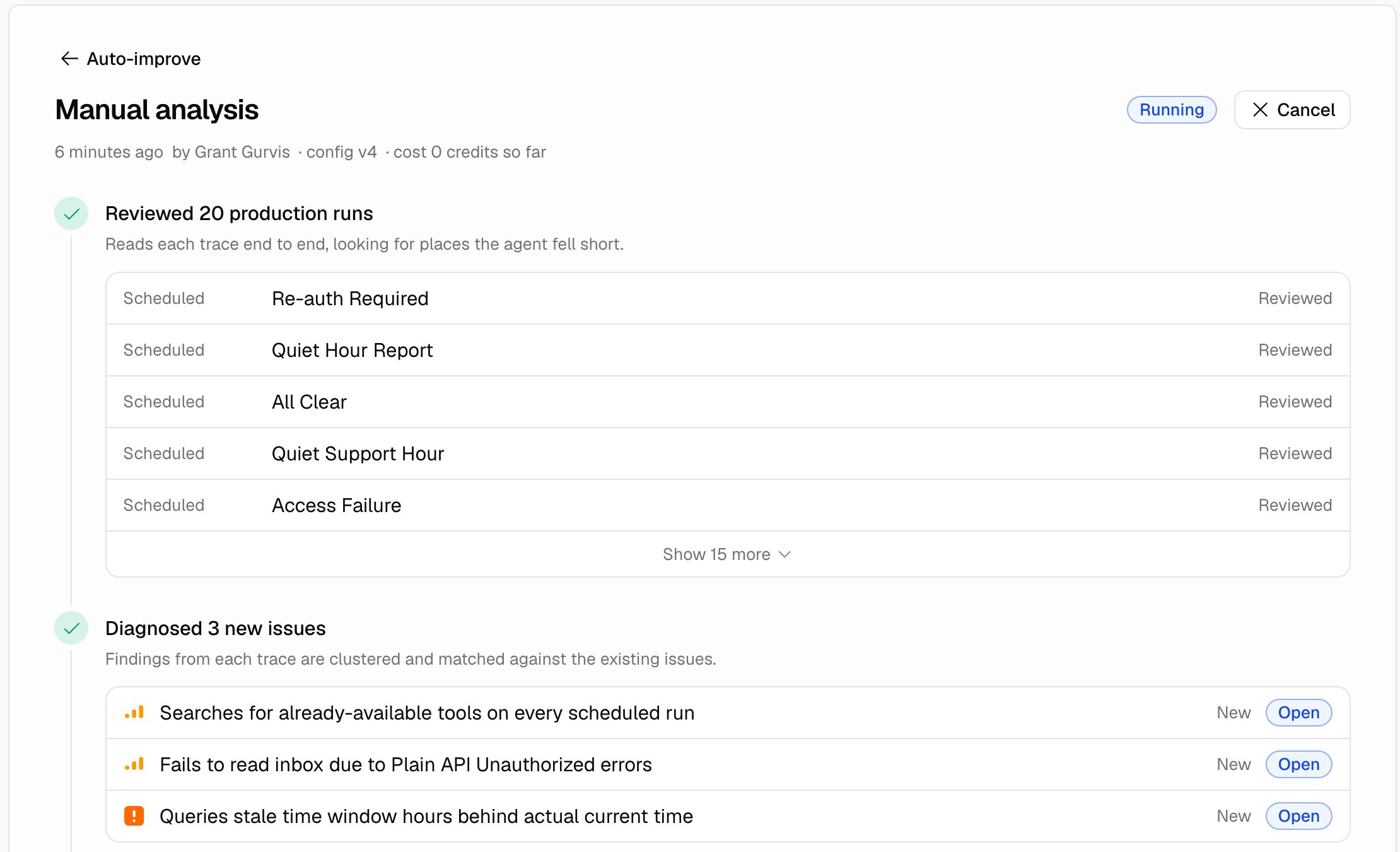
Open the **Runs** tab, tell it what to look at if you want, and click **Run analysis**.
```text Focus example wrap theme={}
Look at the runs where the customer asked about refunds and we ended up escalating.
```
Leave the box empty and it looks at everything. When it finishes, it tells you how many runs it read, how many problems it found, how many fixes it made, and what it cost.
### How do I tell it what "good" looks like?
Open the **Configure** tab and answer three questions:
| Question | What to write |
| ------------------------------------------------- | ------------------------------------------------------------------------------------------------------------ |
| **What is the main goal of this agent?** | The goal, in your own words. `Resolve billing questions in one reply, and never guess at an invoice amount.` |
| **What key things would you like to optimize?** | Pick any of Quality, Cost, Latency, Tool accuracy, and Safety |
| **Any additional context we should be aware of?** | Things that look like mistakes but aren't. `Refunds over $500 go to a human. That is policy, not a failure.` |
Skip that last one and Auto-improve will report your own policies as bugs.
### Can it run on a schedule?
Yes. On the **Configure** tab, turn the schedule on, set when, and pick a timezone.
### Can it fix things on its own?
Yes. Under **Behavior**, switch it from only raising problems to fixing them automatically. Leave it on raising problems until you've read a few analyses and trust what it suggests.
### How do I stop it spending too much?
Three caps sit under **Behavior** on the **Configure** tab:
| Cap | What it limits |
| ------------------ | ------------------------------------------------ |
| **Traces per run** | How many of your runs one analysis reads |
| **Credits** | What one analysis can spend before it pauses |
| **Duration** | How long one analysis can go on before it pauses |
Every analysis reads some runs, so **Traces per run** is required: enter a whole number from 1 to 50. Leave **Credits** or **Duration** empty for no cap.
Auto-improve costs credits, but it isn't a run, so it shows up under **Spend by source** on [Analytics](/docs/agents/analytics) rather than in the run charts.
### Where do its findings go?
To the [Issues](/docs/agents/issues) page. The **Runs** tab shows the analyses it's done. Issues shows what they found.
### Additional FAQ
Your Agent's runs, including the thumbs up and thumbs down your team left on them. See [Run
history](/docs/agents/run-history). Reviewing runs makes its analyses better.
Only if you let it. **Build** → **More** → **Issue access** has three settings: None, Read, and
Read and write. See [Issues](/docs/agents/issues).
Not unless you apply a fix, or you turned on automatic fixes. Applying one is immediate: it
publishes a new version and goes live on the next run, with no draft to check first. Every fix is
in your [version history](/docs/agents/versions), so you can roll it back. See
[Issues](/docs/agents/issues).
Often enough that there are new runs to learn from. For a busy Agent, once a week is a good place
to start.