> ## Documentation Index
> Fetch the complete documentation index at: https://hercules.app/docs/llms.txt
> Use this file to discover all available pages before exploring further.
# Agent costs and run limits
> See what your Hercules Agent costs in AI credits, and set limits so a single run can't spend more or take longer than you want.
Agents is in private beta, so things may change. If you hit a problem, tell us via [Support &
feedback](/docs/company/contact).
Agents use AI credits, the same credits as the rest of Hercules. Set run limits so a single run can never spend more, or take longer, than you allow.
### What costs credits?
| What | When |
| ----------------- | --------------------------------------------------------------------------- |
| **Runs** | Every run, including test chats, scheduled runs, webhooks, and chat replies |
| **Auto-improve** | Every analysis it does |
| **Scoring** | Grading evaluations, and grading real runs if you've turned that on |
| **Run summaries** | Summarizing a run for your run history |
| **Generating** | Writing instructions, starter prompts, or test cases for you |
Only runs show up in the charts on [Analytics](/docs/agents/analytics). Auto-improve, scoring, and run summaries appear under **Spend by source** on that same page.
Generating isn't counted against one Agent at all, so it appears in neither. Look for it on your Organization's [AI Credits](/docs/platform/billing/ai-credits) page.
### How do I limit a single run?
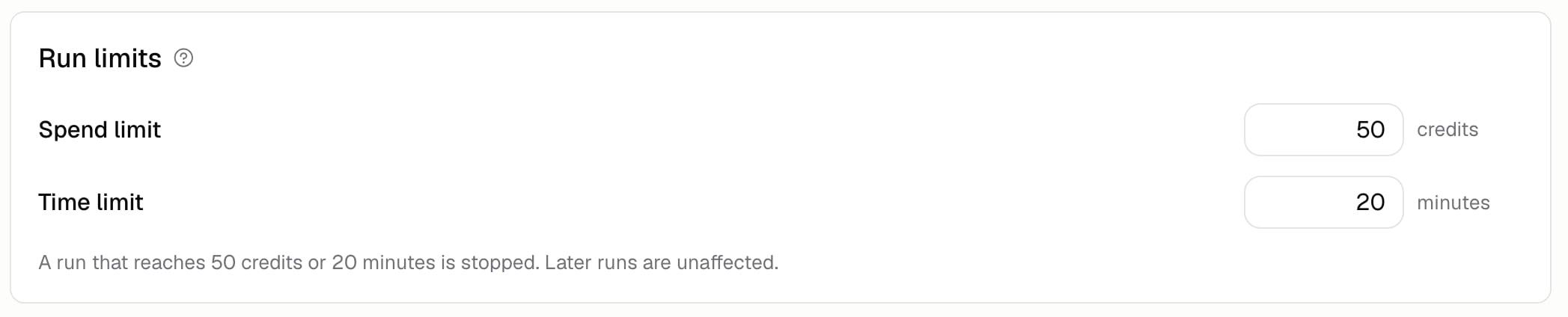
Go to **Build** → **More** → **Run limits**.
| Limit | What it caps |
| --------------- | --------------------------------- |
| **Spend limit** | How many credits one run can use |
| **Time limit** | How many minutes one run can take |
Leave a box empty for no limit. A run that goes over stops, and says so in [Run history](/docs/agents/run-history) as "Stopped at cost limit" or "Stopped at time limit".
The limit applies to each run on its own, not to a total across runs. Later runs aren't affected, so this stops one runaway rather than pausing your Agent.
Limits are checked between steps, so a run can go slightly over while it finishes the step it's
already on. Set the limit a little below your real ceiling.
### How do I limit Auto-improve?
Set the credit and time caps under **Behavior** on **Auto-improve** → **Configure**, and say how many runs one analysis reads. The credit and time caps can be left empty for no cap. The number of runs is required, from 1 to 50. See [Auto-improve](/docs/agents/auto-improve).
### How do I bring costs down?
* Drop the model tier if the job doesn't need the top one
* Remove tools the Agent never uses
* Filter evaluations by tag while you're still tweaking, instead of running everything
* Grade a sample of real runs instead of all of them, or turn that off
* Keep your list of guardrails tight, since each one is checked during the run
### Additional FAQ
No. Limits change how your Agent runs, not what it is, so they save straight away. See
[Versions](/docs/agents/versions).
On the [AI Credits](/docs/platform/billing/ai-credits) page. Credits are shared across your
Organization, so Agents and app building use the same balance.
No. Runs stopped by a limit, and runs you stopped yourself, aren't counted as failures on
[Analytics](/docs/agents/analytics), though they're still part of the total the rate is measured
against.
Watch **Credits per run** on Analytics for a week, then set your spend limit a few times higher
than a typical run. That catches a runaway without getting in the way of normal work.