> ## Documentation Index
> Fetch the complete documentation index at: https://hercules.app/docs/llms.txt
> Use this file to discover all available pages before exploring further.
# Create an Agent
> Create a Hercules Agent from scratch, from a template, or by describing the job in a sentence. Then test it in the built-in chat before you publish it.
Agents is in private beta, so things may change. If you hit a problem, tell us via [Support &
feedback](/docs/company/contact).
Creating an Agent takes a couple of minutes. Write it yourself, copy a template, or describe the job and let Hercules write it for you.
Go to **Agents** → **New agent**.
### Which way should I start?
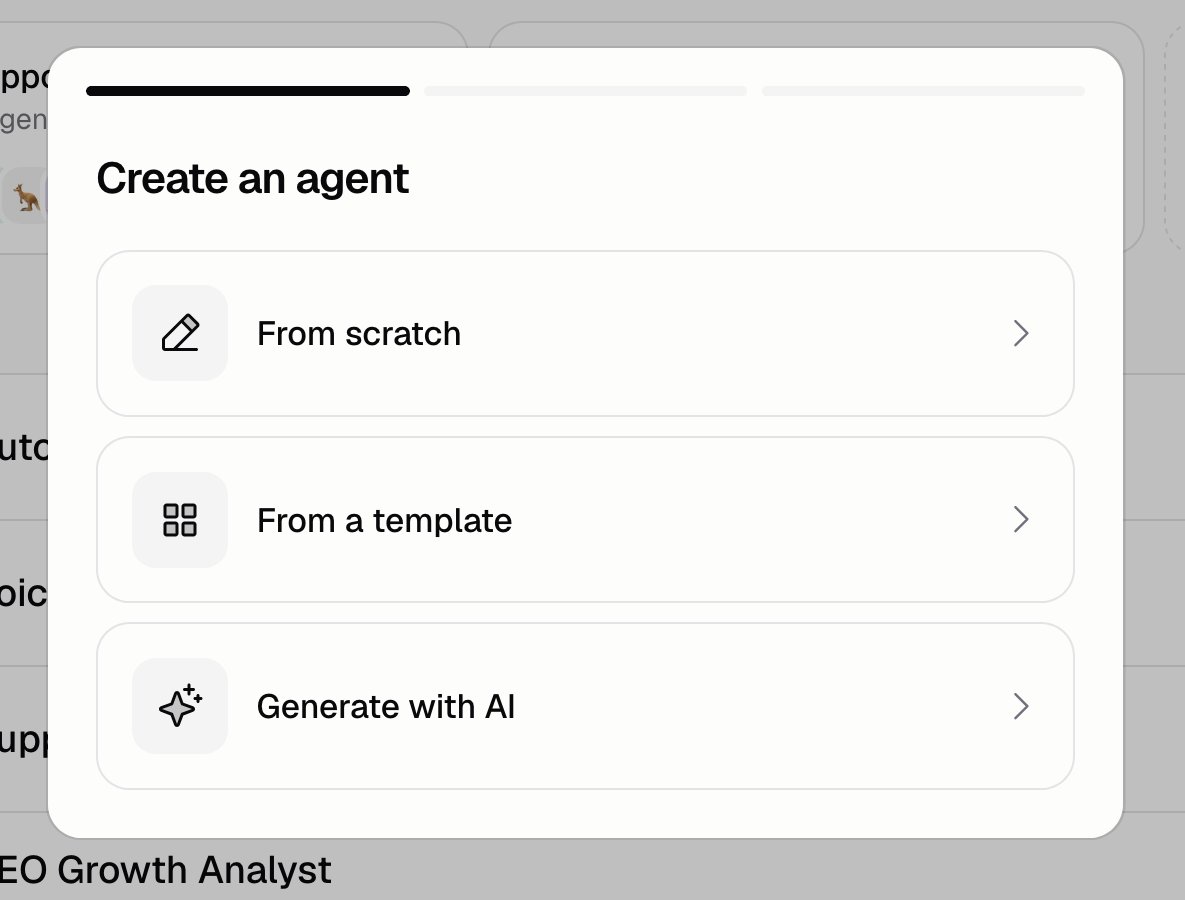
* **From scratch**: name the Agent and start with a blank one
* **From a template**: pick a ready-made Agent, then change what you want. It arrives with its instructions, model, tools, and example questions already set up
* **Generate with AI**: describe the job in a sentence or two and Hercules writes the whole thing for you
Whichever you pick, you land on the Agent's **Instructions** page, ready to test. Nothing else is asked up front, because it's all easier to change once the Agent exists.
### How do I create an Agent from a template?
Choose it on the first step.
Search the list or filter by category. The template names the Agent for you.
If the template uses other apps, you get one more step to connect them. The Agent can't do its
job until they're connected.
### How does "Generate with AI" work?
Write a short description of the job. Hercules turns it into a full set of instructions, picks the tools, and suggests some example questions. You can edit all of it afterwards.
```text Support triage brief wrap theme={}
Triage inbound support tickets. Read the ticket, decide if it is billing, bugs, or how-to, and draft a short reply. Never guess at an invoice amount.
```
Those example questions show up as tappable suggestions when someone starts a new chat with the Agent.
### How do I test an Agent?
Use the test chat. It sits in the bar above every **Build** page and the **Guardrails** page, so it stays open as you move between them. Click **Test chat**, send a message, and watch what the Agent does. You don't need a trigger or a channel set up first.
The chat uses the Agent as it looks in the editor right now, not the published version, so you're always testing the change in front of you.
Test chats cost credits and show up in [Run history](/docs/agents/run-history) like any other run.
### Additional FAQ
Yes. On the Agents list, open the **...** menu on an Agent and click **Duplicate**. You land on
the copy's Instructions page.
No, you're never asked for one. Add one later from **Build** → **Triggers**. An Agent with no
trigger still works in the test chat, and in any [channel](/docs/agents/channels) you connect.
Start with the default. Move up a tier if the Agent's answers aren't good enough, and keep an eye
on the cost on the [Analytics](/docs/agents/analytics) page. The model sits beside the heading on
**Build** → **Instructions**, and again on **Build** → **More**.
Hercules writes and maintains them. Each one is a working Agent, so it's a faster starting point
than a blank page.