> ## Documentation Index
> Fetch the complete documentation index at: https://hercules.app/docs/llms.txt
> Use this file to discover all available pages before exploring further.
# Agent run history
> See every run of your Hercules Agent, read back exactly what it did, mark a run as good or bad, and turn a real run into a test case.
Agents is in private beta, so things may change. If you hit a problem, tell us via [Support &
feedback](/docs/company/contact).
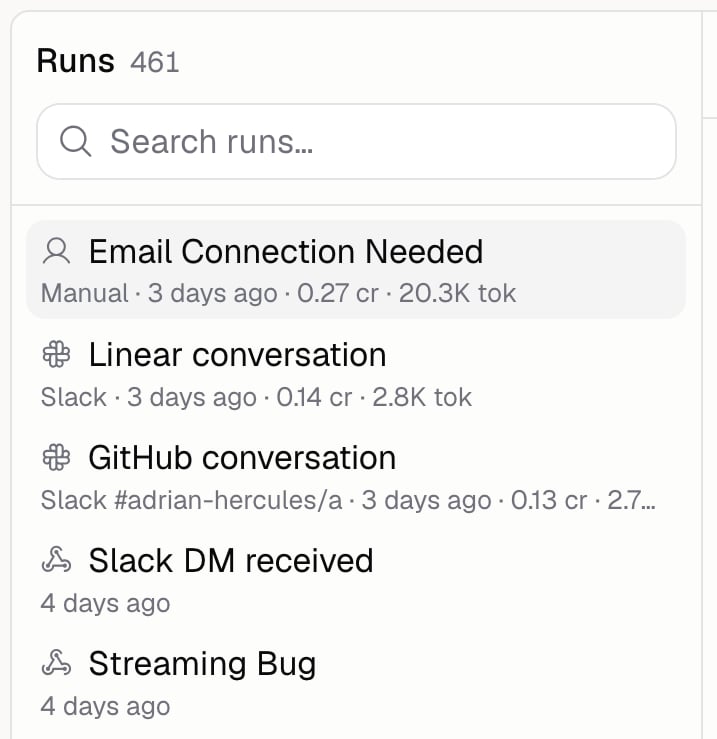
Run history is where you find out what your Agent actually did. Test chats, scheduled runs, webhooks, and replies it gave in Slack and elsewhere all land here.
Evaluations are the one thing that doesn't. Those replies live in the report on the [evaluation run](/docs/agents/evaluation-runs) that produced them.
Go to **Agents** → open an Agent → **Monitor** → **History**.
### What can I see in a run?
| Part | What it shows |
| ---------------- | ---------------------------------------------------------------------------------------------- |
| **Conversation** | The messages in and out |
| **Trace** | Every step the Agent took, including which model it used and which tools it called |
| **Summary** | When it ran, what started it, how it ended, how many steps it took, and which version answered |
| **Scorers** | Grades from any [scorer](/docs/agents/scorers) that graded this run, and why |
| **Usage** | What the run cost in credits |
| **Tools** | Which tools it used, and how often |
Runs started by a webhook also show what was sent to them.
The version on the summary opens the exact Agent that answered, and tells you if it's changed since.
### How do I mark a run as good or bad?
Use the thumbs up and thumbs down on the run. Click the same one again to clear it, and add a note saying why.
There's one review per run, shared with your team, and the most recent edit wins. [Auto-improve](/docs/agents/auto-improve) reads these reviews, so saying what went wrong is worth the ten seconds.
### How do I turn a run into a test case?
Open the run and add it to your test cases, choosing which [dataset](/docs/agents/test-cases) it goes in. Real runs make the best test cases, because they're the questions your Agent actually gets asked.
Runs you've already saved are marked in the list.
### How do I grade a run after the fact?
Pick a scorer from the run's scorer menu and it grades that run. Only scorers that don't need an expected answer can grade real runs.
### Additional FAQ
Use the test chat, which opens from the bar above any **Build** page. Run history only shows you
runs, it doesn't start them.
Its status tells you: Completed, Failed, Stopped, Out of credits, Stopped at cost limit, or
Stopped at time limit. The last two mean it hit a [run limit](/docs/agents/costs-and-limits).
Yes, under **Usage** on the run. For totals across every run, see [Analytics](/docs/agents/analytics).
The list loads more as you scroll, so you can keep going back through older runs.