> ## Documentation Index
> Fetch the complete documentation index at: https://hercules.app/docs/llms.txt
> Use this file to discover all available pages before exploring further.
# Chat Connectors (aka MCP Servers)
> Connect 30+ tools like Hubspot, Slack, Salesforce, Zendesk and more to the Hercules Agent and chat with them while you build.
Chat Connectors (also known as MCP servers) allow Hercules' AI Agent to interact with 3rd party applications like Hubspot, Slack, Salesforce, and Canva. We have 50+ chat connectors to pick from. You can also bring your own.
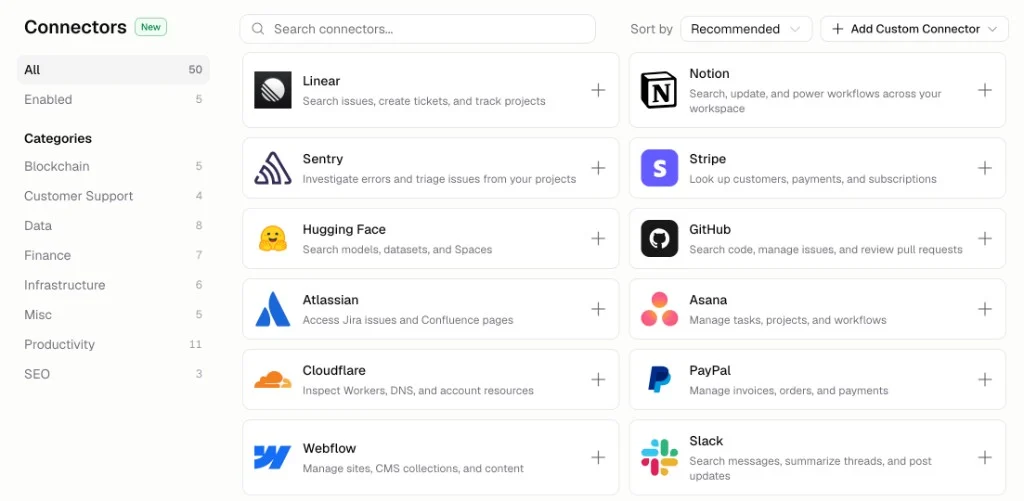
### How do I use chat connectors?
1. Connect your connector
2. Just tell Hercules what you want to do and we'll do it!
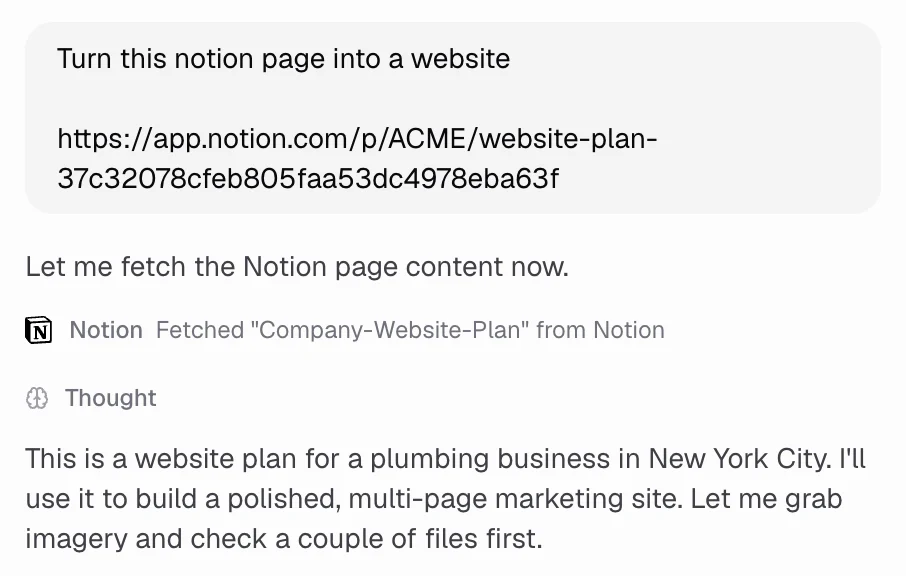
### How do I set up chat connectors?
1. Go to [hercules.app/dashboard/connectors](https://hercules.app/dashboard/connectors)
2. Choose the app you want to connect to
3. Authenticate
4. That's it!
### Can I control when to use a chat connector?
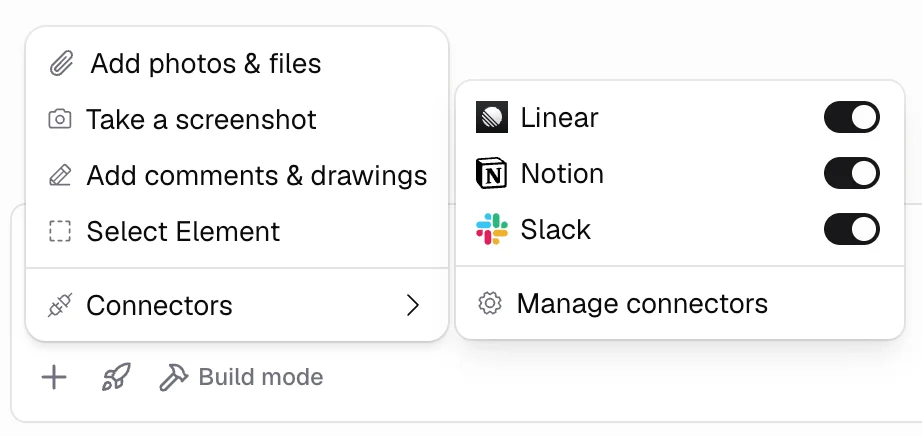
You can temporarily enable/disable chat connectors in the chat input
Click **+** → **Connectors** and toggle on the connectors you want.
### What's the difference between Chat Connectors, App Connectors, and Hercules MCP?"
These three features are easy to confuse. Here is the difference:
| Feature | What it does | Who uses it |
| -------------------------------- | ---------------------------------------------------------------------------------------- | --------------- |
| **Chat Connectors** (this page) | Enabled the Hercules Agent to connect to 3rd party software (Shopify...) while you build | You, personally |
| **App Connectors** (coming soon) | Enable your published app to connect to 3rd party software (Salesforce, Shopify...) | Your app |
| [Hercules MCP](/docs/hercules-mcp) | Use Hercules from other AI assistants (ChatGPT, Claude...) | You, personally |
### Are chat connectors shared with people in my team/org?
No, chat Connectors are personal to your user profile. Teammates in your organization cannot see or use yours.
### How do I add a custom connector?
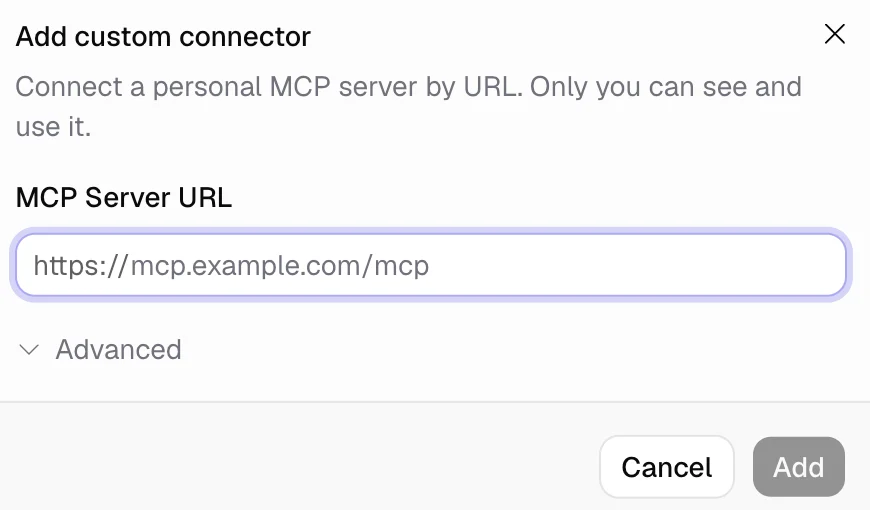
1. Open **Connectors**
2. Click **+ Custom Connector**
3. Paste in the MCP url
Hercules will then prompt you to authenticate.
Custom connectors appear under the **Custom** category in the catalog.
### How do I control chat connector permissions?
Open a connected connector's detail page to see its tools, grouped as **Read** or **Write**. For each tool, set:
| Permission | What it does |
| -------------------- | ------------------------------------------ |
| **Always allow** | The Agent can call the tool without asking |
| **Ask for approval** | You approve each call before it runs |
| **Blocked** | The Agent cannot call the tool |
Write tools default to **Ask for approval**. Read tools default to **Always allow**. Change permissions per tool, or set them for a whole section at once.
### Additional FAQ
You can open the same connector catalog from three places:
| Location | How to get there |
| ------------------------ | ------------------------------------------- |
| **Hercules App Builder** | Open an app → **Connectors** in the sidebar |
| **Dashboard** | **Connectors** in the left sidebar |
| **Settings** | **Settings** → **Chat Connectors** |
Yes. Once you install and enable a connector, it is available in every app you build in that
organization. Toggling a connector on or off from chat or the connector detail page applies
everywhere, not only the current app.
**Disable** turns a connector off for the Agent but keeps it installed. **Disconnect** signs you
out of an OAuth connector while keeping it installed. **Remove** uninstalls the connector and
deletes stored credentials. You can add it again from the catalog later.
Click **Request integration** at the bottom of the connector catalog. Tell us which service you
want and we will consider adding it. You can also add a **Custom** Chat Connector with the
server's URL.
You can enable as many connectors as you want. In saying that, to avoid overwhelming the AI agent,
we recommend only loading the connectors you actually need.
Connecting and using Chat Connectors is free. Agent messages that call connector tools use AI
credits the same as any other build chat. See [AI Credits](/docs/platform/billing/ai-credits) for
details.
Tokens and OAuth secrets are encrypted at rest. Hercules never shows stored secrets again after
you save them. OAuth sign-in happens in your browser, the same as connecting any other account.