> ## Documentation Index
> Fetch the complete documentation index at: https://hercules.app/docs/llms.txt
> Use this file to discover all available pages before exploring further.
# Skills
> Skills give the Hercules agent reusable instructions. Add curated Skills from the marketplace or write your own, scoped to one App, your organization, or you.
Skills give the Hercules agent reusable instructions for a task, like an accessibility check, a security audit, or your brand guidelines. Hercules reads a Skill when it is relevant to what you ask, so you do not have to repeat the same instructions every time. You can add ready-made Skills from the marketplace or write your own.
### What is a Skill?
A Skill is a named set of instructions the Hercules agent can follow. Each Skill has a short description that tells Hercules when to use it, plus the instructions themselves. When your request matches a Skill, Hercules applies it. You stay in control: nothing about a Skill changes your app on its own.
### How do I add a Skill from the marketplace?
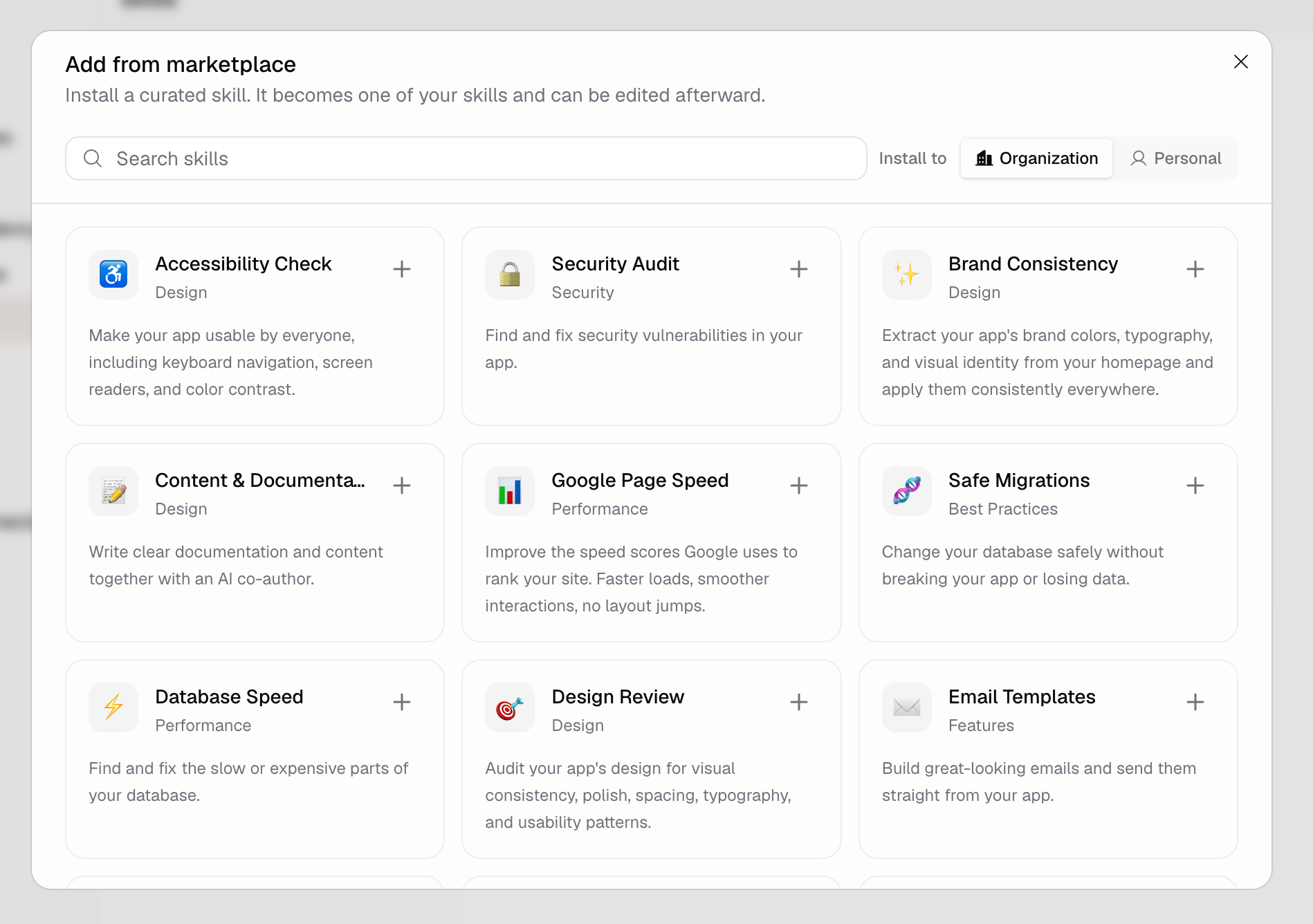
1. Open the **Skills** section in the App Builder
2. Click **Browse marketplace**
3. Pick where to install with the **Install to** selector
4. Click a Skill card to add it
The marketplace has curated Skills grouped by category, including Design, Security, Performance, Best Practices, Features, and Auth. After you add a Skill it becomes one of your Skills, so you can edit its instructions whenever you want.
### Where can a Skill apply?
Choose the scope when you add or create a Skill:
* **App:** Applies to one app only. Use this for instructions that only make sense for a single project, like its data model or page rules.
* **Organization:** Shared across every app in your organization and available to your teammates.
* **Personal:** Private to you and applies across your own apps.
Each app inherits the Organization and Personal Skills that apply to it. You can turn off an inherited Skill for a single app when it does not fit.
### Can I create my own Skill?
Yes. In the **Skills** section, click **New skill**, give it a name and a description, then write the instructions in `SKILL.md`. You can add supporting files to the Skill as well. Set the scope to App, Organization, or Personal depending on where you want it to apply.
### Additional FAQ
No. A Skill only gives Hercules instructions to follow when relevant. Your app changes only when
you ask Hercules to make a change.
Yes. An added Skill becomes a normal Skill in your list, so you can change its name,
description, and instructions at any time.
Yes. You can disable any Skill so the agent stops using it, and you can turn off an inherited
Skill for a single app without affecting your other apps.
Organization Skills are shared with your teammates and apply across every app in your
organization. Personal Skills stay private to you.