> ## Documentation Index
> Fetch the complete documentation index at: https://hercules.app/docs/llms.txt
> Use this file to discover all available pages before exploring further.

# Hercules AI Gateway

> Add AI to your app: chatbots, content, images, speech, and transcription. OpenAI, Anthropic, Google models. No API keys needed.

Use the Hercules AI Gateway to build AI features in your app like chatbots, content generation, image generation, speech, transcription, and summarization.

Hercules AI Gateway is built into all apps and works out of the box. You can use all the most popular models from OpenAI, Anthropic, and Google without needing to set up API keys.

<div className="screenshot aurora" style={{ margin: "0 auto" }}>
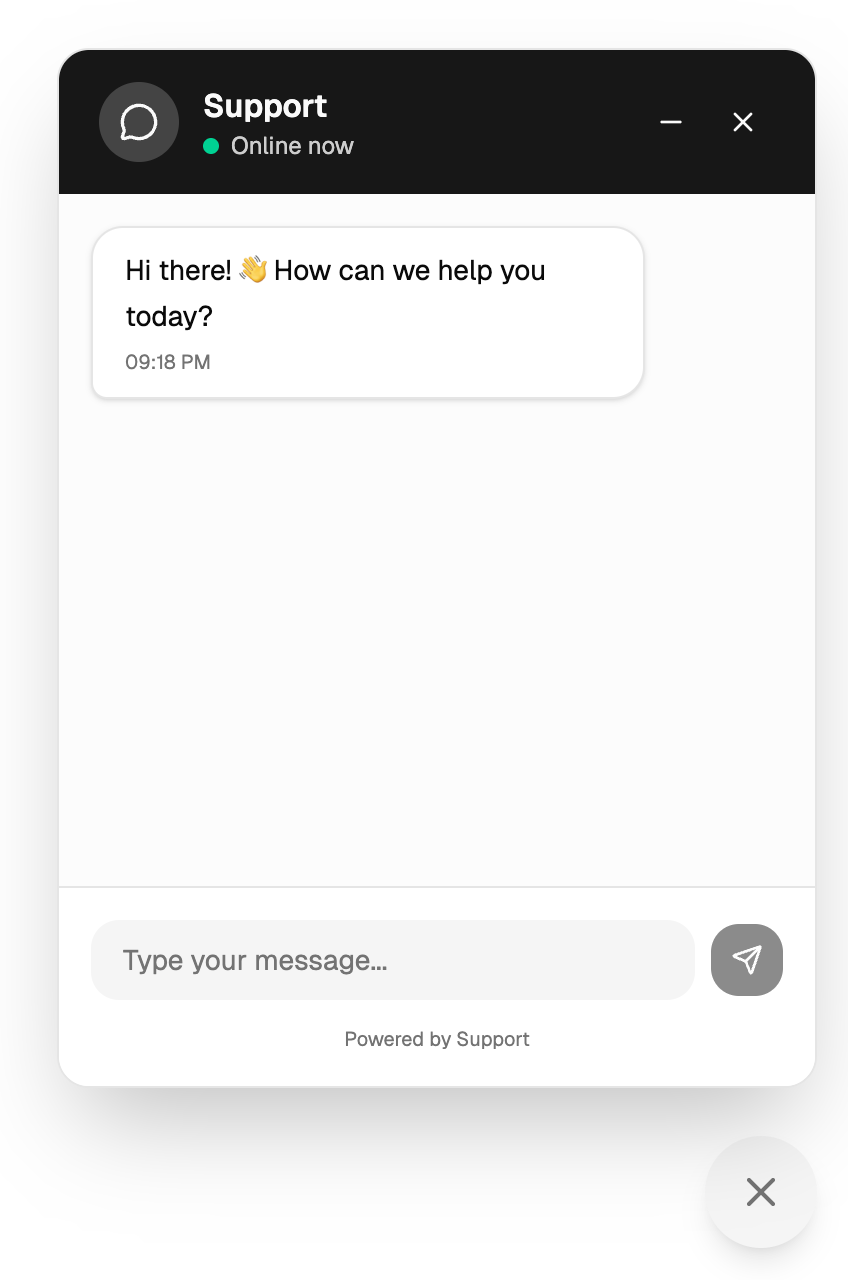
  <img src="https://mintcdn.com/zeus-0f6dadbf/kr00GTozD-mEFvWE/images/apps/ai-gateway-customer-support-chatbot-example.png?fit=max&auto=format&n=kr00GTozD-mEFvWE&q=85&s=dc0a7e28ef0c995156e4bc46c4ffbfce" alt="AI Gateway customer support chatbot widget example" style={{ maxWidth: "400px" }} width="848" height="1280" data-path="images/apps/ai-gateway-customer-support-chatbot-example.png" />
</div>

### How do I set it up?

Ask Hercules to build you an app that uses AI! Hercules will use Hercules AI Gateway by default e.g.

```text Setup Hercules AI Gateway wrap theme={}
Build a customer support chatbot for my app. Have it expand from a widget in the bottom right
```

### What can I build with AI Gateway?

* **Chatbots:** Customer support chatbot, AI coach
* **Content generation:** Write descriptions, emails, summaries
* **Image generation:** Create images from a text prompt
* **Voice and audio:** Turn text into speech, transcribe audio and video to text
* **Analysis:** Extract insights from text, categorize data
* **Summarization:** Condense long documents or articles
* **Personalization:** Generate custom recommendations

### Can I generate images and audio?

Yes. The AI Gateway handles images and audio through the same setup, with no extra API keys.

* **Image generation:** Create images from a text prompt
* **Text to speech:** Turn written text into spoken audio, with a choice of voices
* **Speech to text:** Transcribe audio and video files into text

Ask Hercules to add these to your app:

```text Add image generation wrap theme={}
Add a feature that turns a text prompt into an image
```

```text Add text to speech wrap theme={}
Add a button that reads my articles aloud
```

```text Add transcription wrap theme={}
Let users upload an audio file and get back a text transcript
```

### Can my app make decisions, like sorting or flagging content?

Yes. Use [AI Decisions with Jev](/docs/apps/ai-gateway/decisions) to classify, route, moderate, and score content. It is faster and cheaper than a chatbot model for these tasks.

### What models can I choose?

Any current model from Anthropic, Cloudflare Workers AI, Google AI Studio, or OpenAI. The gateway passes the model string straight through to the provider, so new releases from these providers work as soon as the provider ships them. There is no allowlist to wait on.

This applies to Chat Completions, the default format. The Responses and Messages formats accept fewer models, so a model that works on Chat Completions can fail there with an error such as "Model not found". If that happens, use Chat Completions for that model.

The table below is a starting point, not a complete list. Extra large and large models are best for complex work. Small models are faster and cost less.

Tell Hercules the model you want by name, or use the model string when working with the API directly (see the technical FAQ below).

| Provider | Model | Size | Model string | Best for |
| - | - | - | - | - |
| OpenAI | GPT-6 Astra | Extra large | `openai/gpt-6-astra` | The most advanced OpenAI model for reasoning and agent work |
| OpenAI | GPT-6 Sol | Large | `openai/gpt-6-sol` | Complex reasoning, coding, and analysis |
| OpenAI | GPT-6 Luna | Small | `openai/gpt-6-luna` | Everyday tasks at low cost (the default) |
| Anthropic | Claude Fable 5.1 | Extra large | `anthropic/claude-fable-5-1` | The most demanding reasoning and agent work |
| Anthropic | Claude Opus 5.5 | Large | `anthropic/claude-opus-5-5` | Deep reasoning and long, multi-step tasks |
| Anthropic | Claude Sonnet 5.5 | Medium | `anthropic/claude-sonnet-5-5` | Strong coding and agent work at lower cost |
| Anthropic | Claude Haiku 5.5 | Small | `anthropic/claude-haiku-5-5` | Fast, low-cost chat and simple tasks |
| Google | Gemini 3.1 Pro | Large | `google/gemini-3.1-pro-preview` | Advanced multimodal reasoning (preview) |
| Google | Gemini 3.8 Flash | Medium | `google/gemini-3.8-flash` | Fast agentic and coding tasks |
| Google | Gemini 3.5 Flash-Lite | Small | `google/gemini-3.5-flash-lite` | High-volume tasks that need instant answers |
| Workers AI | GLM 5.3 Flash | Medium | `workers-ai/@cf/zai-org/glm-5.3-flash` | Very long context and vision at a low price |
| Workers AI | Qwen 3.8 27B | Medium | `workers-ai/@cf/qwen/qwen3.8-27b` | Open source reasoning and tool use |

### What model does Hercules use by default?

By default, Hercules AI Gateway uses GPT-6 Luna by OpenAI. It's fast, cheap, and very accurate.

### How do I choose another model?

If you'd like to use another model, just tell Hercules the model and/or provider you want to use:

* `Use Claude Haiku by Anthropic`
* `Use Gemini 3.8 Flash by Google`

### Can I use a model that is not in the table?

Yes. Use the provider's own model id after the provider prefix, for example `anthropic/claude-fable-5-1` or `openai/gpt-6-astra`. If the provider serves the model, the gateway serves it. If the provider rejects the id, the gateway returns the provider's error.

Workers AI model ids keep their own `@cf/` namespace, so the full string has two parts after the prefix: `workers-ai/@cf/qwen/qwen3.8-27b`. Any model in the [Cloudflare Workers AI catalog](https://developers.cloudflare.com/ai/models/) works this way.

Models from providers other than Anthropic, Cloudflare Workers AI, Google AI Studio, and OpenAI are not available.

### What input/output is supported?

| | Input | Output |
| - | - | - |
| **Today** | Text, images, PDFs, audio, video | Text, images, voice/audio |
| **Planned** | Realtime voice | Video |

In the default format (Chat Completions), sending a whole PDF file works only with OpenAI models. For other models, send the PDF pages as images or as text.

### How is billing handled?

AI Gateway usage is billed separately through Hercules Cloud. It's a separate line item from the Hercules App Builder Agent (what you use to build your app). We bill the model provider's rate plus a 7.5% platform fee. For instance, if you use \$10 of OpenAI, you will be billed \$10.75 of Hercules Cloud.

[Enterprise](/docs/enterprise/overview) plans can have a custom platform fee. Contact [sales@hercules.app](mailto:sales@hercules.app) for details.

### Can I see what each AI request costs?

Yes, for most models, when your app uses the Responses or Messages format. Their text responses include what the request cost, in dollars, including the 7.5% platform fee. It is the same amount billed to your Hercules Cloud balance. Ask Hercules to show it in your app:

```text Show AI cost per answer wrap theme={}
Show how much each AI answer cost, below the answer
```

Chat Completions responses (the default format) do not currently include the cost. For those, Hercules can estimate it from the token counts in the response at the model's price plus the 7.5% platform fee. For exact amounts, go to **Settings** → **Billing** → **Hercules Cloud**.

### Do I need my own API keys?

No. This is all managed by Hercules out of the box through the `HERCULES_API_KEY`.

If you want to manage billing yourself, you need to ask Hercules to remove the Hercules AI Gateway, then configure the API key and model yourself.

### Additional FAQ

<AccordionGroup>
  <Accordion title="What's the difference between AI Gateway and the Hercules App Builder Agent?">
    The Hercules App Builder Agent builds your app. AI Gateway lets your users use AI features inside your published app.

    They are also currently billed separately. Hercules App Builder Agent bills against your monthly AI credits. Hercules AI Gateway bills against your Hercules Cloud credits.
  </Accordion>

  <Accordion title="How does the Hercules AI Gateway work technically?">
    Use the **OpenAI SDK** with Hercules configuration:

    ```ts theme={}
    import OpenAI from "openai";

    const openai = new OpenAI({
      baseURL: "https://ai-gateway.hercules.app/v1",
      apiKey: process.env.HERCULES_API_KEY,
    });

    const response = await openai.chat.completions.create({
      model: "openai/gpt-6-luna",
      messages: [{ role: "user", content: prompt }],
    });
    ```

    The `HERCULES_API_KEY` is automatically available in your app's environment.
  </Accordion>

  <Accordion title="Which API formats does it support?">
    * **Chat Completions** (OpenAI SDK, shown above): the default
    * **Responses API** (OpenAI SDK): `openai.responses.create({ model: "openai/gpt-6-luna", input })`
    * **Messages API** (Anthropic SDK), for `anthropic/...` models:

    ```ts theme={}
    import Anthropic from "@anthropic-ai/sdk";

    const anthropic = new Anthropic({
      baseURL: "https://ai-gateway.hercules.app",
      apiKey: process.env.HERCULES_API_KEY,
    });
    ```

    For most models, Responses and Messages text responses include `usage.cost`: what the request cost in US dollars, including the 7.5% platform fee. When streaming, it is on the final chunk that carries `usage`.

    Chat Completions responses do not currently include `usage.cost`. Estimate their cost from the `usage` token counts at the model's price plus the 7.5% platform fee, and treat your Hercules Cloud usage as the exact amount.
  </Accordion>

  <Accordion title="How do I generate images, speech, and transcripts?">
    Use the same client. Switch the method and model:

    ```ts theme={}
    // Image generation
    const image = await openai.images.generate({
      model: "openai/gpt-image-2.5-flare",
      prompt: "A serene mountain landscape at sunset",
    });

    // Text to speech
    const speech = await openai.audio.speech.create({
      model: "openai/gpt-4o-mini-tts",
      voice: "coral",
      input: "Hello from Hercules",
    });

    // Speech to text
    const transcript = await openai.audio.transcriptions.create({
      model: "openai/gpt-4o-transcribe",
      file: audioFile,
    });
    ```
  </Accordion>

  <Accordion title="Is there rate limiting?">
    Yes. Hercules handles rate limiting automatically. If you need higher limits, please contact
    support.
  </Accordion>

  <Accordion title="Can I stream responses?">
    Yes. Hercules can set up your chatbot to stream responses in real-time as they come through
  </Accordion>

  <Accordion title="How do I monitor AI Gateway usage?">
    View usage in your billing dashboard under Hercules Cloud.
  </Accordion>

  <Accordion title="Is there a size limit on AI requests?">
    Yes. Each chat or text request can be up to 8 MB. Audio transcription and image edit uploads can be up to 50 MB.

    Files sent inside a request, like a PDF or an image, grow by about a third when they are encoded, so a single request can carry roughly 6 MB of file. Larger requests are rejected with "Request body is too large".

    For a large PDF, split it into smaller batches of pages and send each batch as its own request. You can ask Hercules to set this up for you.
  </Accordion>

  <Accordion title="What's the difference between this and AI Image Generation?">
    AI Gateway image generation runs inside your published app, for your users, at runtime. The [AI Image Generation](/docs/apps/image-generation) feature is Hercules creating images for your app while you build it (logos, banners, illustrations).
  </Accordion>
</AccordionGroup>


This documentation is built and hosted on [Mintlify](https://mintlify.com), a developer documentation platform.