Set Security Response Headers
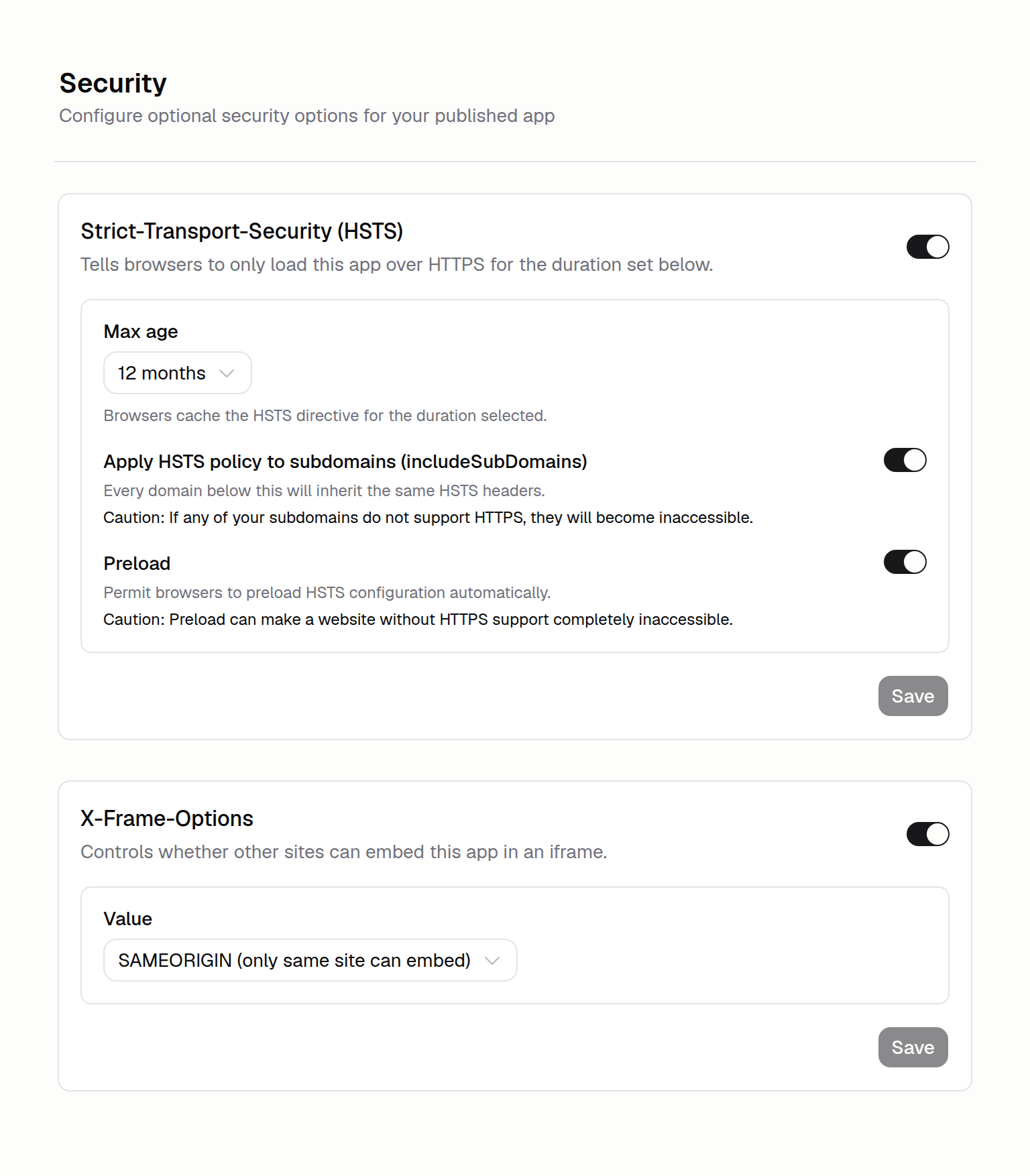
You can now make your app more secure by configuring security response headers in More → Security.
Your options include:
- HSTS for HTTPS-only browsing. Turn on Strict-Transport-Security with a max-age you choose, optionally apply to subdomains, and opt in to the browser preload list.
- X-Frame-Options control. Set
DENYorSAMEORIGINto control whether other sites can embed your app in an iframe. - Safety checks. Enabling HSTS prompts a confirmation that explains the HTTPS lock-in and caching implications before you commit.
To get started, open More → Security in the App Builder sidebar.