
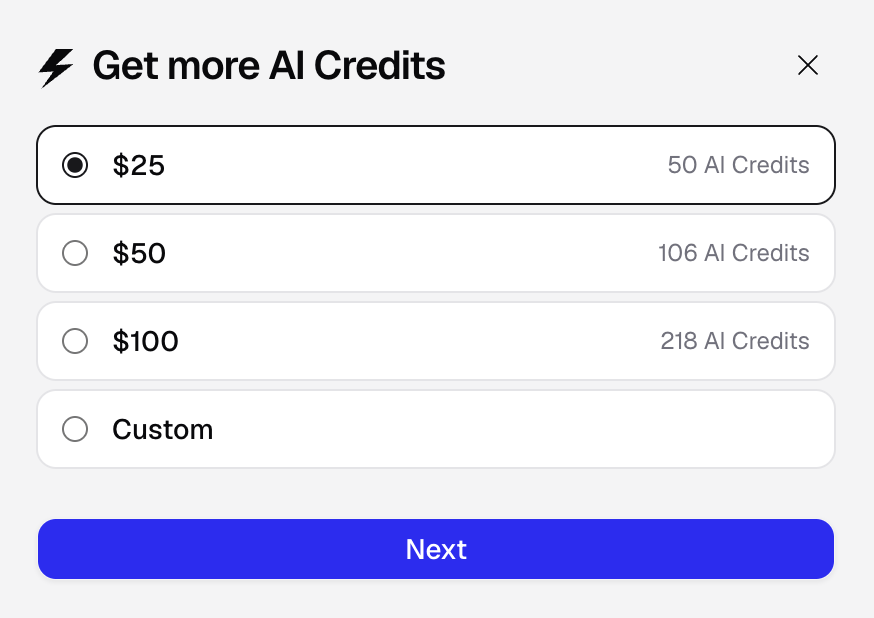
How do I get more AI credits?
Click the “Buy AI credits” button in the top right of the Hercules platform to purchase more AI credits. The way you purchase AI credits differs depending on when you signed up.
Plan
Plan
Every plan includes some number of AI credits. Some plans let you increase the AI credits included in your plan. To get more credits, simply change your credit tier in the plan selector.Your plan (such as Pro or Business) stays the same, so you keep all its features. You pay the prorated difference and receive the prorated credits right away. Plan credits expire 28-31 days after they are granted.
1
Pick your credit tier
Select the number of AI credits you want each month.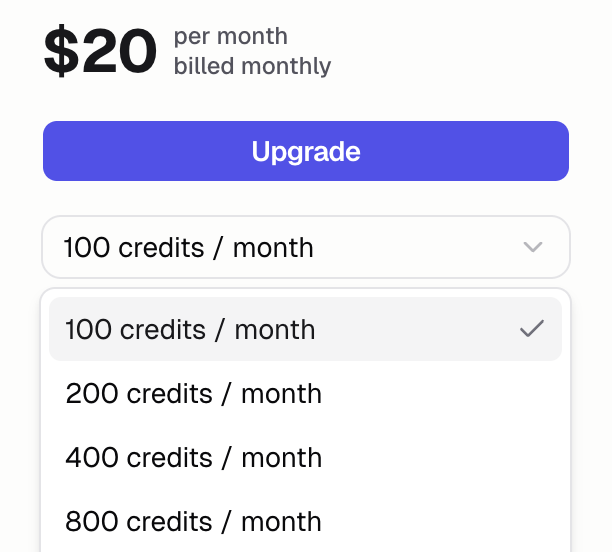
2
Review your purchase
Review the checkout and complete the transaction.
Add-on AI credits
Add-on AI credits
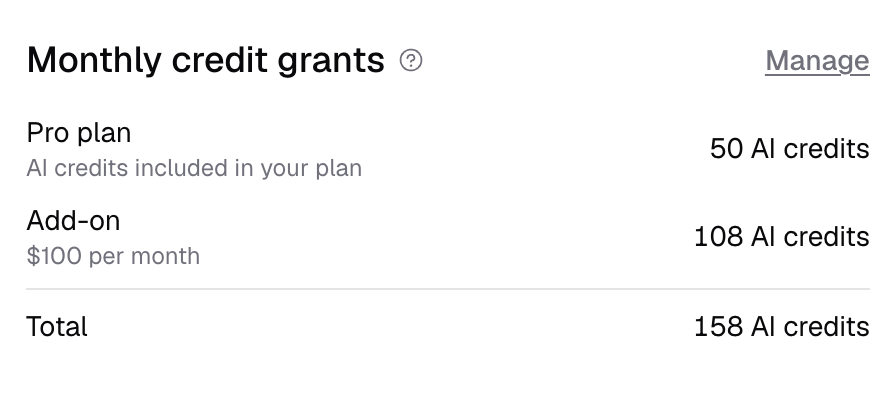
Add-on AI credits are a monthly subscription just for AI credits, separate from your plan.You must top up a minimum of $25. You can then choose from one of the predefined options or a custom amount per month. The credits are added on top of the credits included in your plan.You can manage your Add-on AI credit subscription from Settings → Billing → AI Credits, or click here.Add-on credits expire 28-31 days after each grant.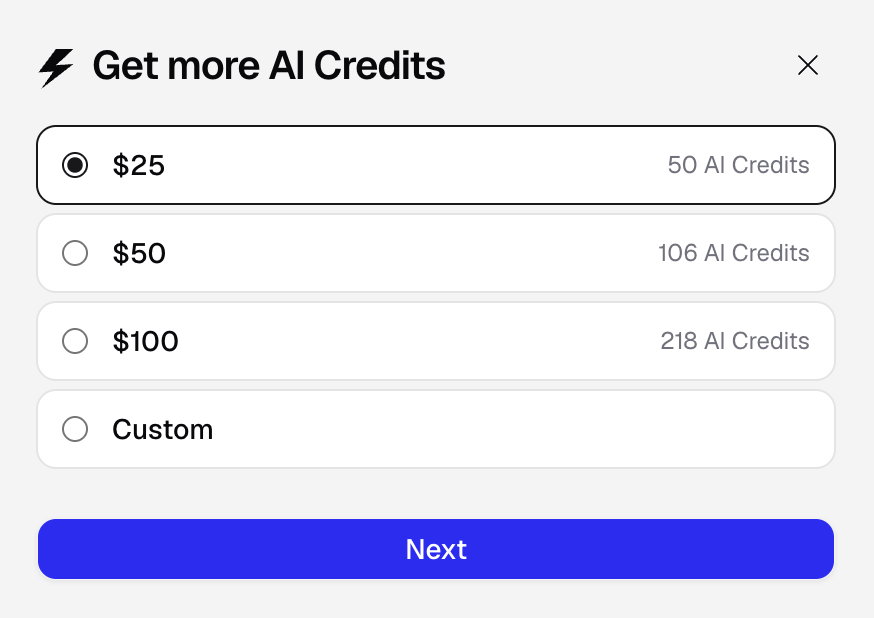
Volume-based discounts on AI credit purchases
Volume-based discounts on AI credit purchases
Hercules offers discounts on large volume credit purchases. These credits are called “one-time”
credits and expire after 12 months. If you are interested, please reach out to
sales@hercules.app with how many credits you would like to purchase.
How do I set up AI credit auto-reloads?
Auto-reload tops up your AI credits before a running Agent reaches a zero balance, so your builds do not stop mid-run. Go to Settings → Billing → AI Credits then click “Set up” to get started.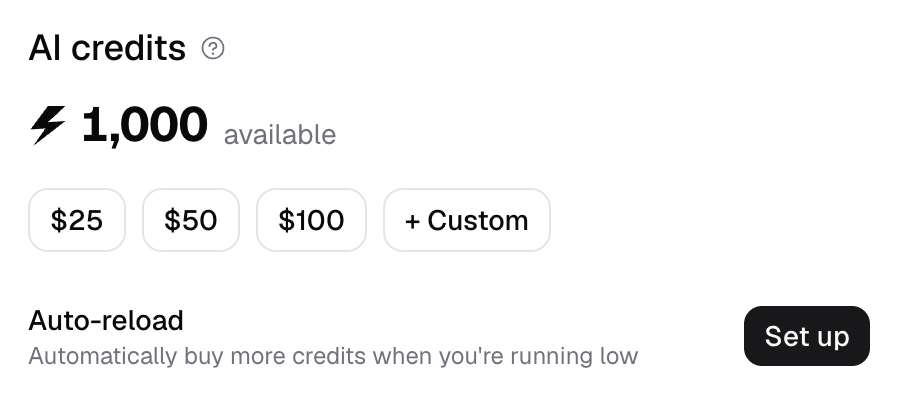
How do I change my AI credits subscription?
You can lower your recurring AI credit costs depending on how you buy credits. Credits already granted stay valid until they expire.Plan
Plan
If your plan allows credit tiers, lower your plan’s AI credit tier in the plan selector. Your plan
and its features stay the same. Your downgrade will be scheduled for the end of your current
billing cycle.
Add-on AI credits
Add-on AI credits
Lower or cancel your add-on at any time at Settings → Billing → AI Credits. Reduce the monthly
amount or cancel it entirely. Changes apply from your next billing cycle.
Are bug fixes free?
Yes! Hercules fixes uncaught exceptions for free. All Hercules App Builder Agent runs started by clicking the Fix the bugs button in the bottom right of the App Builder are free. Other bug fixes and error resolution still cost AI credits.Additional FAQ
How are AI credits calculated per prompt?
How are AI credits calculated per prompt?
Credit use varies by model, complexity, and output length. To view credit usage, go to Settings
→ Billing → AI Credits.
How many AI credits will it take to build my app?
How many AI credits will it take to build my app?
Every app is different, so we cannot provide estimates. No app builder can. We recommend building
your app in small increments and monitoring your AI credit usage as you go. This is the best way
to understand how AI credits work for your specific use case.
How do auto-reloads work?
How do auto-reloads work?
You configure the threshold balance (the AI credit balance at which you should auto reload more credits) and then credit top-up amount (how many more credits you want to automatically purchase).AI credit auto-reloads are available on paid plans with a saved payment method. The default threshold is 10 remaining credits. You can choose a whole-number threshold from 1 to 100 credits.For reloads on plans, Hercules tops up one step at a time and charges the prorated difference. For reloads on AI credit add-ons, Hercules adds the USD amount you have configured.If a top-up fails, Hercules keeps auto-reload enabled and retries after one hour. Auto-reload pauses while a subscription downgrade is scheduledYou can configure a spend maximum. When you reach the highest available amount, auto-reload stays enabled but cannot top up again
What are bonus AI credits?
What are bonus AI credits?
Some plans include bonus AI credits, granted as a promotional match on your first credit
purchases. They are marked in the UI when they apply. Not all plans offer bonus credits.
How do I view my AI usage?
How do I view my AI usage?
Go to Settings → Billing → AI Credits to see: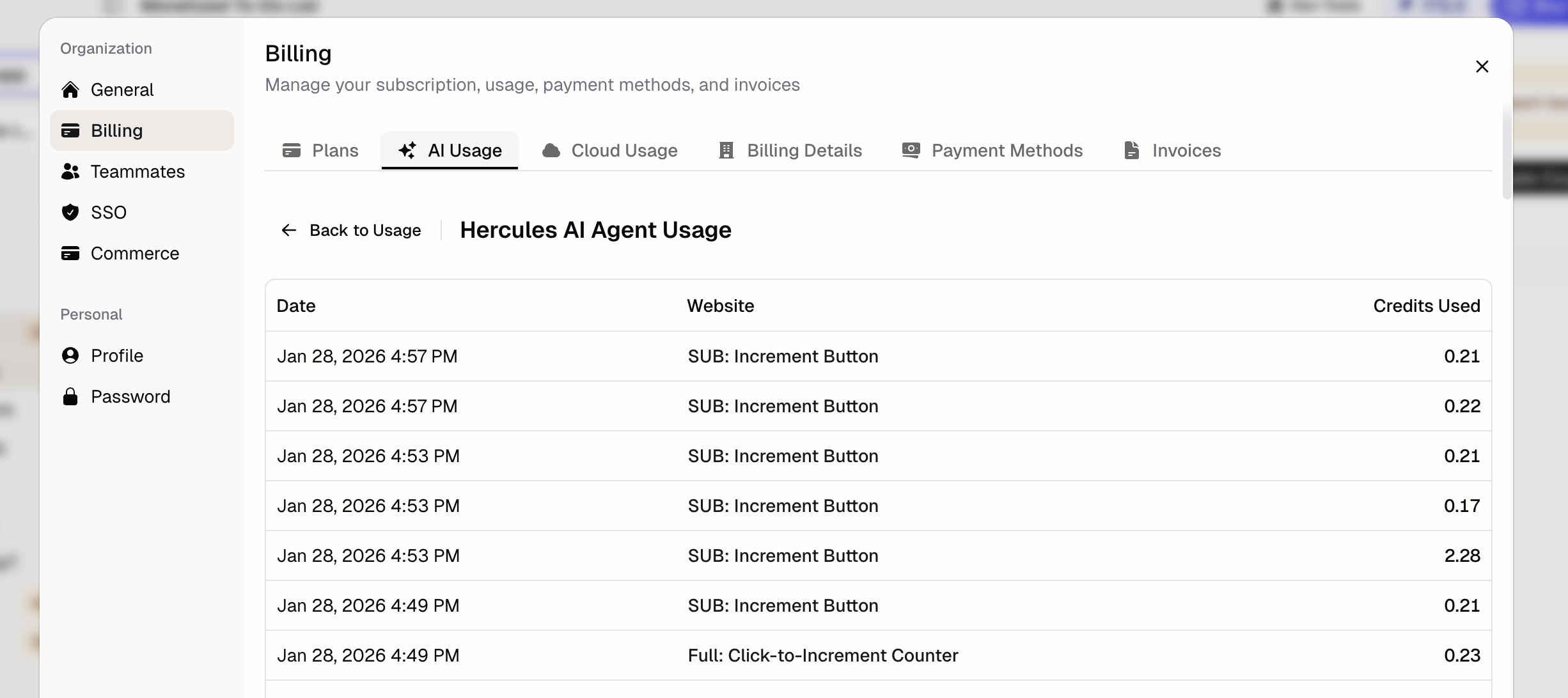
- Current AI credit balance
- Usage breakdown by category
- Invoice history
Can I transfer AI credits to another organization?
Can I transfer AI credits to another organization?
Go to Settings → Billing → AI Credits → Grants and click the three-dot menu to transfer
credits. Both organizations must be on a paid plan, only plan and purchased credits can move (not
bonus, referral, or admin-granted credits), and transferred credits keep their original expiry
date.
Can I get a refund for AI credits?
Can I get a refund for AI credits?
We rarely give refunds for AI credits. AI credits cost us real money to provide (we pay AI model
providers like OpenAI and Anthropic). We charge for AI credits to cover our costs and keep
Hercules sustainable. We are always happy to help you resolve issues and reduce AI credit usage.
We occasionally offer additional AI credit grants. Click Support & feedback with details and
we will do our best to help.
What happens if I run out of AI credits?
What happens if I run out of AI credits?
Your app stays hosted and published. You will not be able to use Hercules AI until you purchase
more AI credits or wait for more AI credits to be granted at the start of your next billing cycle.
What happens to my existing AI credits when I downgrade?
What happens to my existing AI credits when I downgrade?
Your existing AI credits stay valid for as long as the grant is valid. They do not immediately
expire when you downgrade.
I had credits yesterday, and today they're gone. What happened?
I had credits yesterday, and today they're gone. What happened?
This is most likely because your previous credits expired. AI credits (both plan and add-on)
expire 28-31 days after they are granted, so a batch of credits can run out overnight even if you
weren’t actively using Hercules. Check Settings → Billing → AI Credits to see your grant
history and expiration dates.
How many AI credits do I get with the $25 add-on minimum?
How many AI credits do I get with the $25 add-on minimum?
The minimum add-on AI credits purchase is $25/month, which provides 50 credits. Credits are added
on top of your plan credits and expire 28-31 days after each grant. Add-on credits are a monthly
subscription. There is no one-time add-on purchase.