Auth Portal in 50+ Languages
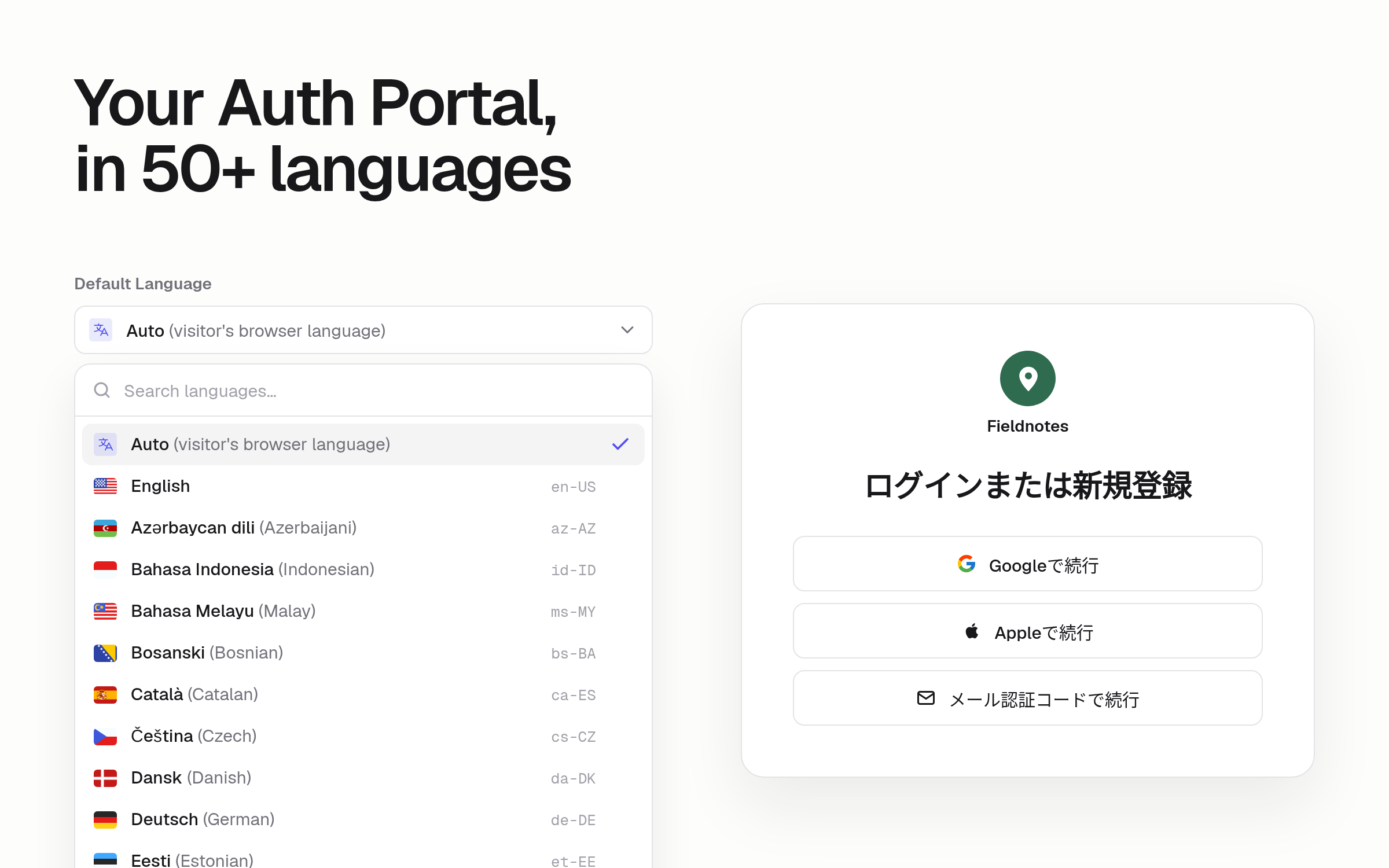
Your Auth Portal now comes in 50+ languages, and Auto is the new default: each visitor sees sign-in in their browser's language, or in English when theirs isn't supported. Sign-in, sign-up, one-time codes, password reset, account settings, and the emails your users receive all follow it.
- Regional versions. Chinese, French, Portuguese, and Spanish each come in two versions, such as Spanish for Latin America and for Spain.
- Right-to-left languages. Arabic, Hebrew, Persian, and Urdu read right to left.
- One language for everyone. Pick a single language instead of Auto to show it to every visitor. This is available on Pro, Business, and Enterprise plans.
Please note: an App that never saved an Auth Portal language now follows each visitor's browser instead of showing English.
To get started, go to Users & Access → Auth Portal and choose a Default Language. Learn more in the Customize Auth Portal docs.