AI Usage History
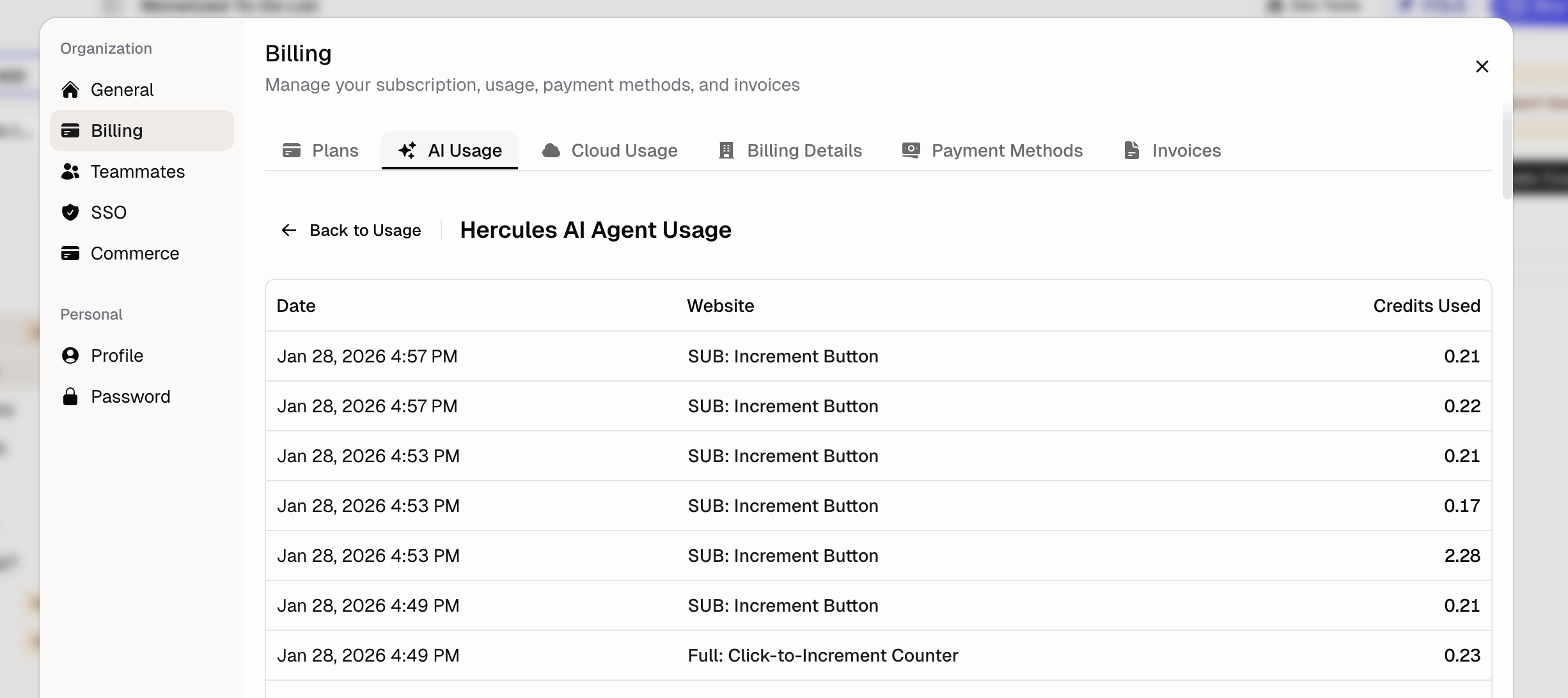
You can now see analytics about all your AI agent runs in Settings → Billing → AI Usage.
This new AI Usage portal shows date, App, and credits consumed per agent run. You can also filter, sort, and group by these fields.
To get started, go to **Settings > Billing > AI Usage" and click **View all usage** on the Hercules AI Agent card. Learn more in the AI Credits docs.