
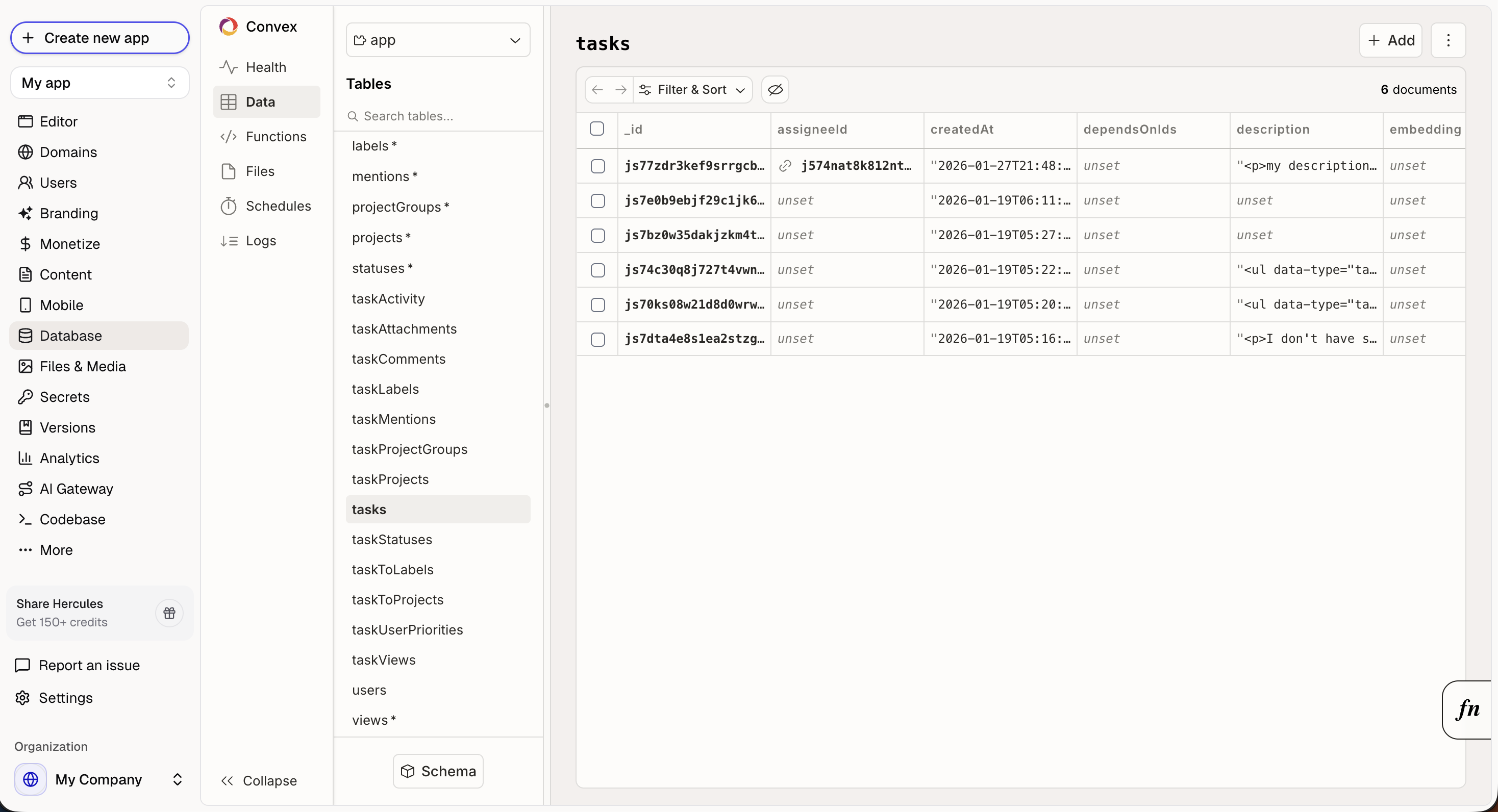
How does the database work?
When you describe features to Hercules, it creates the database structure automatically:Add a blog with posts and commentscreatespostsandcommentstablesUsers should be able to save favoritescreates afavoritestable linked to usersTrack order historycreates anorderstable with relationships
What can I do in the Database UI?
Open Database in the sidebar to:- View all tables and their structure
- Browse and edit individual records
- Search and filter data
- Bulk import data from CSV
How do I import a CSV into my database?
Open Database in the sidebar, then click Import CSV. In the dialog:- Pick the deployment to import into
- Enter the table name (use letters, numbers, and underscores, starting with a letter)
- Choose how to handle existing data
- Select your CSV file and click Import
- Append: Add the rows to the table’s existing data.
- Replace: Overwrite all rows in the table.
- Require empty: Import only when the table has no rows yet.
Can I edit the data in the database with Hercules AI?
Yes! Hercules AI can- Read and query tables
- Create new records
- Bulk create records
- Update and delete existing records (with your approval)
How large can the database scale?
The database can scale as large as you need. It’s designed to handle large-scale production workloads.Where is data hosted?
Your data is hosted in the region you pick when you create the app. Available regions: US East (N. Virginia) and EU West (Ireland).Additional FAQ
Is my data backed up?
Is my data backed up?
Yes. You can schedule automatic backups of your app’s database on the Business plan. Open Backend in the sidebar, open the menu for a deployment, and click Backups. Turn on Enable periodic backups, then pick:
- Frequency: Daily or Weekly
- Time: the time of day each backup runs (shown in your local timezone)
- Day of week: for weekly backups
- Include file storage: also back up uploaded files, not just database records
Can I export my data?
Can I export my data?
Yes. Go to More → Export. Database exports are available on Pro plans and
above.
What's the difference between Database and Hercules Files & Media?
What's the difference between Database and Hercules Files & Media?
- Database stores structured data (users, orders, records).
- Files & Media stores static assets (images, PDFs, videos).