
Agents is in private beta, so things may change. If you hit a problem, tell us via Support &
feedback.
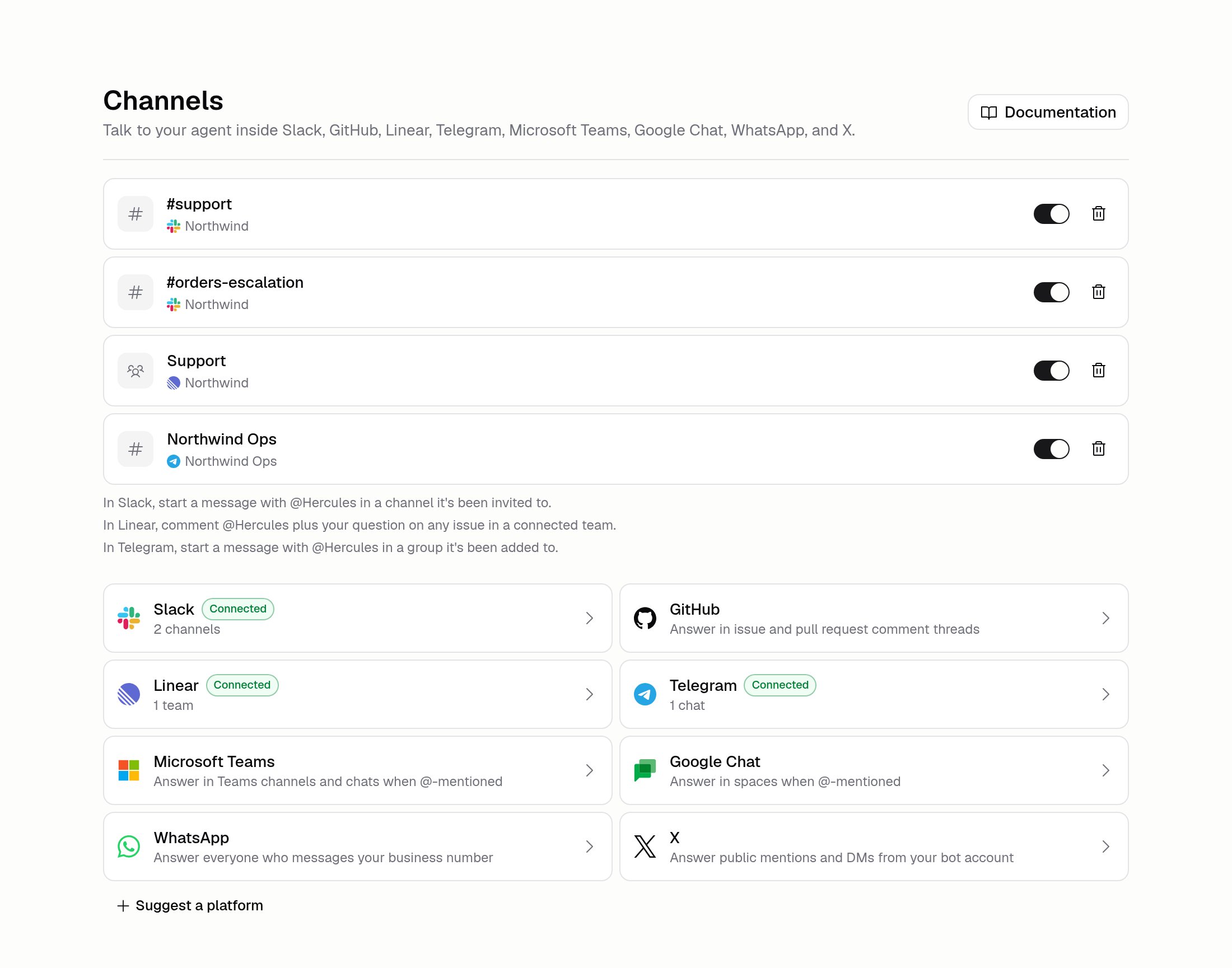
Which platforms are supported?
Discord isn’t available for new connections right now, so a new setup would never answer.
Organizations that connected it earlier can still manage what they have.
How do I connect a platform?
1
Open Channels
Build → Channels.
2
Pick the platform
Click its card.
3
Sign in
Slack, GitHub, and Linear use OAuth (a secure login that signs you in with your existing
account). Telegram needs a bot token, and Teams, Google Chat, WhatsApp, and X need the app
details you create on their side.
4
Choose where it answers
Pick which channel, repository, team, space, or chat the Agent should reply in.
5
Invite the bot
Follow the instructions shown, then @-mention the bot to start a conversation.
How do I get the bot into a channel?
It depends on the platform:- Slack: run
/invite @Herculesin the channel, then start a message with the bot’s name. If your Organization connected its own Slack app, invite that bot by its name instead. The Channels page names the right one once the channel is set up - GitHub: @-mention the Hercules app in an issue or pull request comment
- Linear: @-mention the Hercules app in an issue comment
- Microsoft Teams and Google Chat: @-mention the bot in the channel or space
- Telegram: add your bot to the group, then start a message with its @-name
- WhatsApp: message the connected business number
- X: mention the bot account publicly, or DM it
What if my channel isn’t in the list?
Type its ID in by hand. Here’s where to find it:
Hercules can only list channels the bot can see. In Slack that’s public channels, plus private ones it’s been added to. Telegram has no list at all, so you always type the chat ID.
Additional FAQ
Can one Agent answer in several channels?
Can one Agent answer in several channels?
Yes, as many as you need. The ones you’ve set up are listed above the platform cards.
Can I turn one channel off without disconnecting?
Can I turn one channel off without disconnecting?
Yes. Each one has its own on/off switch, so you can pause the Agent in one channel and leave the
rest running.
Can I use my own Slack app instead of the Hercules one?
Can I use my own Slack app instead of the Hercules one?
Yes. Slack is the one platform where you can register your own app instead of installing the
shared Hercules one.
Do channel conversations show up in Run history?
Do channel conversations show up in Run history?
Yes. Every reply the Agent gives in a channel is a run, with a full record of what it did. See
Run history.
Does the Agent read everything in the channel?
Does the Agent read everything in the channel?
No. In a channel it answers when @-mentioned, and then follows that thread, so replies inside it
don’t need another mention. Direct messages are different: on WhatsApp and in X DMs, someone
messaging your Agent is enough on its own, and the conversation carries on from there.
My platform isn't listed
My platform isn't listed
Click Suggest a platform under the cards and tell us which one you need.