
Agents is in private beta, so things may change. If you hit a problem, tell us via Support &
feedback.
What costs credits?
Only runs show up in the charts on Analytics. Auto-improve, scoring, and run summaries appear under Spend by source on that same page.
Generating isn’t counted against one Agent at all, so it appears in neither. Look for it on your Organization’s AI Credits page.
How do I limit a single run?
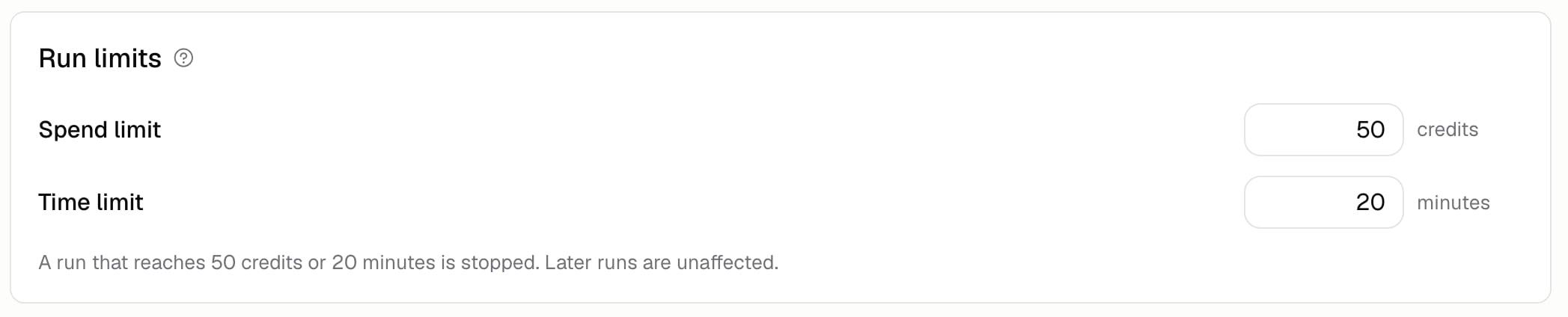
Go to Build → More → Run limits.
Leave Spend limit or Time limit empty for no limit. A run that goes over stops, and says so in Run history as “Stopped at cost limit” or “Stopped at time limit”.
Every run has a step limit. Leave Step limit empty for the default of 200 steps, or set a higher number for long jobs that keep hitting it. A run that reaches its step limit stops with “Hit its step limit”, and you can hit Continue to pick up where it left off.
The limit applies to each run on its own, not to a total across runs. Later runs aren’t affected, so this stops one runaway rather than pausing your Agent.
How do I limit Auto-improve?
Set the credit and time caps under Behavior on Auto-improve → Configure, and say how many runs one analysis reads. The credit and time caps can be left empty for no cap. The number of runs is required, from 1 to 50. See Auto-improve.How do I bring costs down?
- Drop the model tier if the job doesn’t need the top one
- Remove tools the Agent never uses
- Filter evaluations by tag while you’re still tweaking, instead of running everything
- Grade a sample of real runs instead of all of them, or turn that off
- Keep your list of guardrails tight, since each one is checked during the run
Additional FAQ
Do run limits create a new version?
Do run limits create a new version?
No. Limits change how your Agent runs, not what it is, so they save straight away. See
Versions.
Where do I top up credits?
Where do I top up credits?
On the AI Credits page. Credits are shared across your
Organization, so Agents and app building use the same balance.
A run was stopped by a limit. Does that count as a failure?
A run was stopped by a limit. Does that count as a failure?
No. Runs stopped by a limit, and runs you stopped yourself, aren’t counted as failures on
Analytics, though they’re still part of the total the rate is measured
against.
What's a sensible starting limit?
What's a sensible starting limit?
Watch Credits per run on Analytics for a week, then set your spend limit a few times higher
than a typical run. That catches a runaway without getting in the way of normal work.