
Agents is in private beta, so things may change. If you hit a problem, tell us via Support &
feedback.
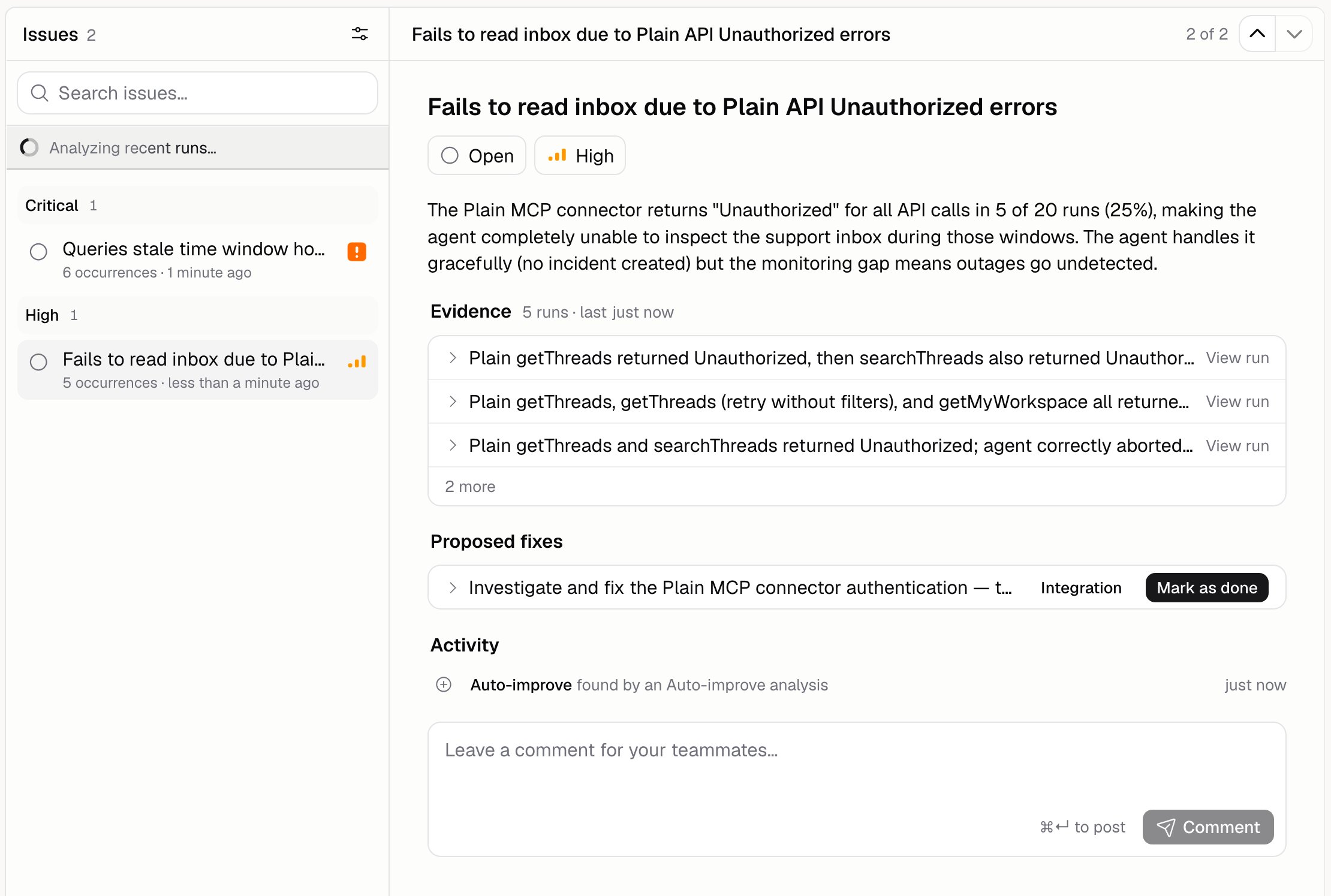
What’s on an issue?
How do I work through the list?
Group by Severity or Status, or turn grouping off. Sort by how often it happens, how serious it is, when it was last updated or last seen, or by title. Filter by status, severity, or a search, and click Clear all to start over. The list opens on issues that still need work. Click Show applied and dismissed to see the rest. Start with Critical and High, grouped by severity.How do I apply a fix?
Open the issue and apply the fix. An issue can suggest more than one, and they come in a few shapes:- An instructions change, shown side by side with your current instructions
- A test case to add, so the same problem gets caught by an evaluation next time
- A scorer to add, for the same reason
- Something for you to do yourself, outside the Agent, which you then Mark as done. Each one says what it’s about: knowledge base, tool, integration, or other
Can I change how serious an issue is?
Yes. Set your own severity on the issue. Yours wins everywhere the issue appears, and the change is recorded in the activity log.Can the Agent see its own issues?
Only if you let it. Go to Build → More → Issue access:
Issue access is part of the Agent, so changing it creates a draft you’ll need to publish.
Additional FAQ
Why does the issue count end in a plus?
Why does the issue count end in a plus?
The list loads a page at a time, so the count is what’s loaded so far. A trailing
+ means
there’s more.What does Dismissed do?
What does Dismissed do?
It takes the issue off your list without changing anything. Use it for things that aren’t really
problems, then add the reason to the extra context box on Auto-improve so
it stops reporting them.
Where do issues come from?
Where do issues come from?
From Auto-improve analyses, and from the Agent itself when Issue access
allows it.
Can my teammates see issues?
Can my teammates see issues?
Yes. Agents belong to your Organization, and everyone in it sees the same issues and comments.
Will a fixed issue come back?
Will a fixed issue come back?
No. Applied and dismissed issues are closed for good. If the same problem happens again, it turns
up as a fresh issue.