
Agents is in private beta, so things may change. If you hit a problem, tell us via Support &
feedback.
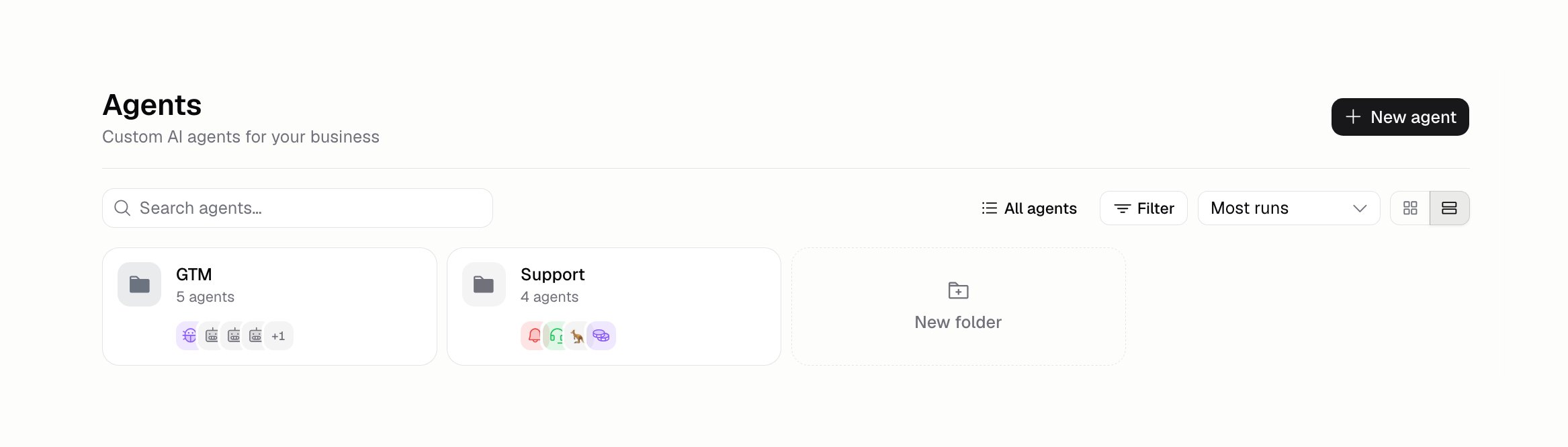
How do I find an Agent?
Search by name, or sort the list:
Switch between the card grid and a compact list with the toggle beside the sort. The Filter menu narrows things further: show favorites only, or pick one or more tags. Picking a second tag widens the list rather than narrowing it, since it shows Agents with either tag. Searching looks across every folder, and each result tells you which folder it’s in.
How do I keep my Agents to hand?
Favorite them. A favorited Agent appears under Favorites in the sidebar, so it’s one click away from anywhere. Favorite from the list’s … menu.Favorites are shared with your Organization, not personal. Favoriting an Agent puts it in your
teammates’ sidebars too.
How do I group Agents into folders?
Drag an Agent onto a folder, or use Move to in its … menu. Folders sit as tiles above the list, and Agents that aren’t in one sit underneath. If you don’t use folders, you only see the list.What else can I do from the list?
How do I stop an Agent running?
Turn it off: Build → More → Status. That blocks every new run — chat, triggers, channels, and the API — and takes effect immediately, without deleting anything. Its instructions, tools, triggers, and channels all stay as they are, so switching it back on picks up where it left off. Runs already in progress are left to finish. A turned-off Agent is marked Disabled in the Agents list and in its own header. To pause one way in and leave the others running, switch off that trigger or channel instead — each has its own on/off toggle. To stop an Agent spending too much rather than stopping it outright, set a spend or time limit under Build → More → Run limits. See Costs and limits.How do I organize Agents with tags?
Build → More → Details → Tags. As you type, Hercules suggests tags already used on your other Agents, so everyone uses the same words. An Agent can have up to 20. Add a Description beside it so teammates know what the Agent is for. Neither changes what the Agent does, and neither creates a version.Additional FAQ
Can I rename an Agent?
Can I rename an Agent?
Yes. Click its name in the header and type. The icon beside it opens a picker.
What happens when I delete an Agent?
What happens when I delete an Agent?
It’s removed permanently. Duplicate it first if you might want it back.
What's the difference between a folder and a tag?
What's the difference between a folder and a tag?
An Agent lives in one folder, but can have up to 20 tags. Use folders for who owns what, and tags
for what an Agent is.
Is duplicating a good way to test a change?
Is duplicating a good way to test a change?
It can be, but an evaluation measures the change properly, and
versions let you undo it without a second Agent to look after.