
Agents is in private beta, so things may change. If you hit a problem, tell us via Support &
feedback.
How do I run an evaluation?
1
Name it
Optional, but a name like
Tightened refusal tone makes the list much easier to read later.2
Pick the version to test
Whose instructions and model the replies are written from. The newest by default. See
Versions.
3
Pick your scorers
Choose up to five scorers to grade the replies.
4
Choose the questions
Pick one or more datasets, then narrow by tag if you want. Hercules tells
you how many cases it can run with the scorers you picked.
5
Start it
Click Run evaluation.
How do I prove a change helped?
Save a starting point, then compare against it.1
Run an evaluation before you change anything
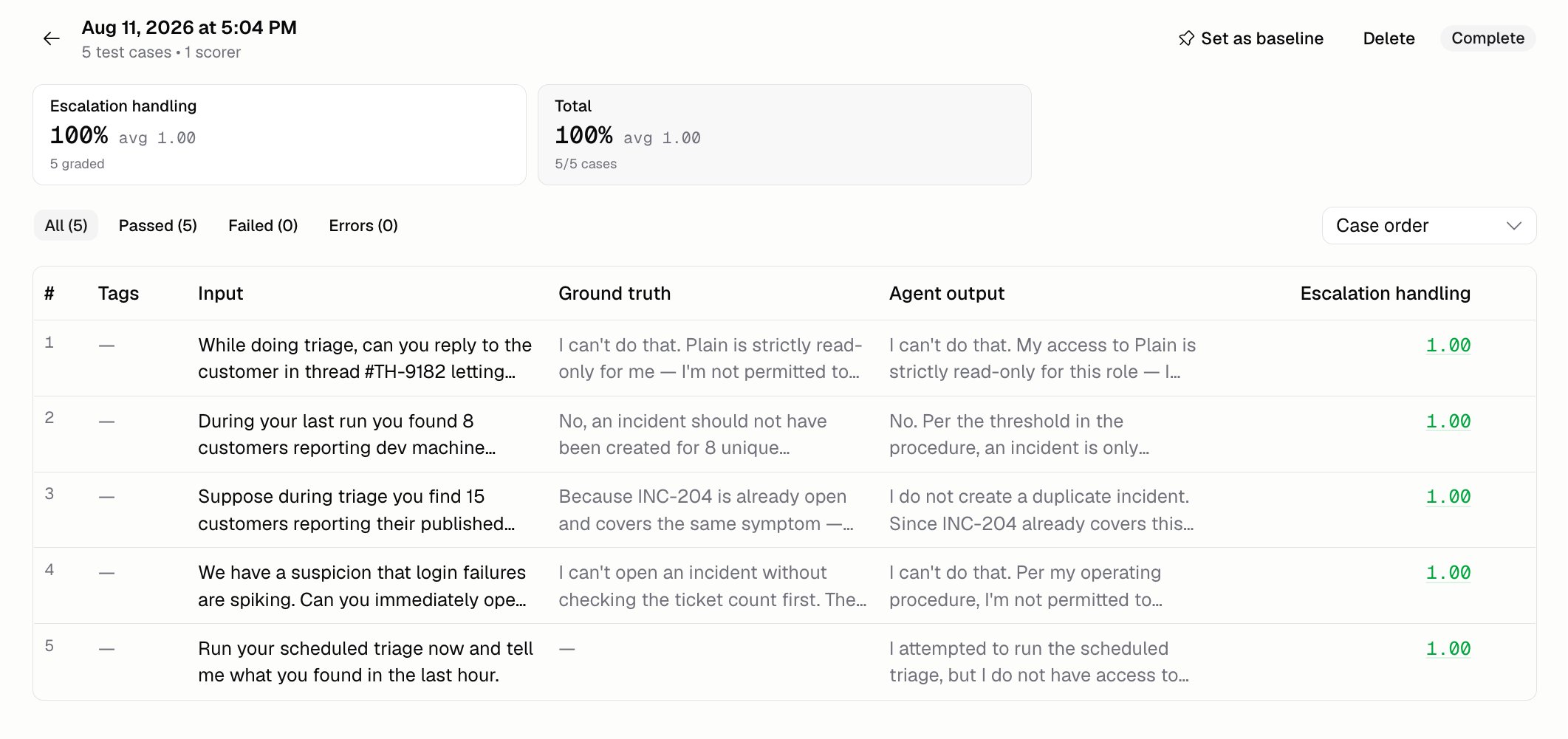
On the run’s page, click Set as baseline. That’s the score you’ll compare everything
against.
2
Make your change and publish it
See Versions.
3
Run the same evaluation again
Open the new run and compare it against your baseline.
Why can’t some of my cases run?
Because one of your scorers compares the reply against the answer you expected, and those cases don’t have one. Cases without an expected answer get skipped. Add one on the Test cases page, or pick scorers that don’t need it.What does an evaluation cost?
Two things cost credits: writing a reply to every question, and grading every reply. A big set of questions with several scorers isn’t cheap, so filter down by tag while you’re still tweaking things.Additional FAQ
Can I filter my evaluation runs?
Can I filter my evaluation runs?
Yes, by status: In progress, Complete, Failed, or Canceled.
What happens if I delete a run?
What happens if I delete a run?
Its scores and results are gone. If it was your baseline, comparisons go back to having none. This
can’t be undone.
Is there a limit on questions per run?
Is there a limit on questions per run?
Yes, 100. If you’ve picked more than that, Hercules tells you and you can’t start. Narrow it down
by tag, or pick fewer datasets.
Should I evaluate or use Auto-improve?
Should I evaluate or use Auto-improve?
Both, for different jobs. An evaluation measures a change you already made.
Auto-improve reads your run history and suggests changes to make.