
Agents is in private beta, so things may change. If you hit a problem, tell us via Support &
feedback.
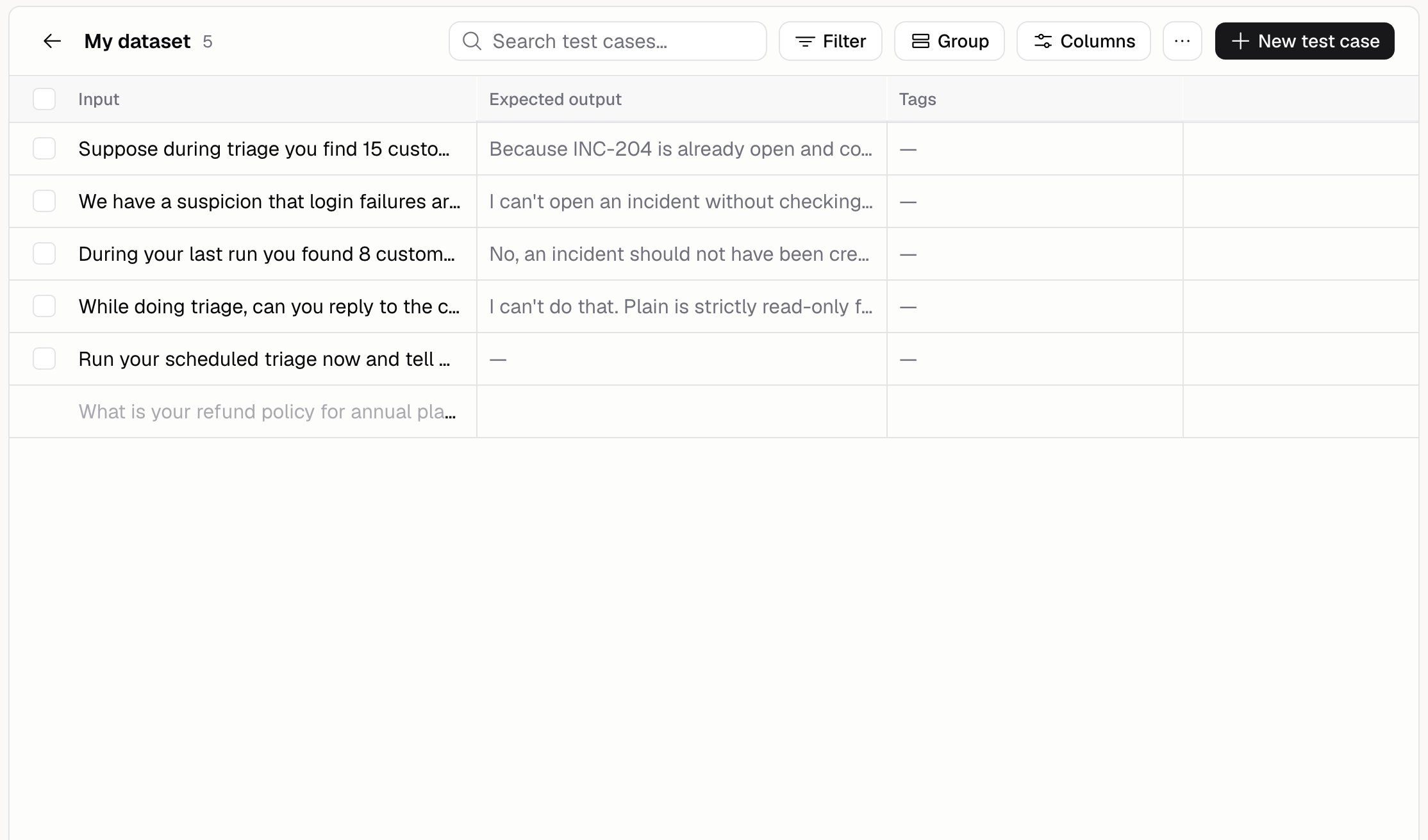
What’s a dataset?
A dataset is a group of test cases. The Test cases page opens on your datasets, one row each. Click one to see its cases in a spreadsheet-style grid. Tags label a case within its dataset, so the two do different jobs. A dataset is the set you run, and a tag narrows it down. An evaluation picks one or more datasets, then filters by tag if you want.How do I add test cases?
Four ways:
Adding from real runs is usually best. Those are the questions your Agent actually gets asked.
What’s in a test case?
How do I import a spreadsheet?
1
Open the import dialog
Open a dataset, then … → Import.
2
Upload the file
A CSV with a header row, or a JSON file.
3
Match up the columns
Say which column is the Input, the Expected output, Tags, or Metadata, and skip the ones you
don’t need. Hercules guesses from your column names first.
Do I need to fill in the expected output?
Only if your scorer needs one. Some scorers compare the Agent’s reply against the answer you expected, and those skip any case that doesn’t have one. Scorers that judge the reply on its own grade every case. When you start an evaluation, Hercules tells you how many of your cases it can actually run.What are tags for?
Narrowing a dataset down. Tag cases by topic (billing, refunds) or by risk (edge-case), then run an evaluation against only those.
Additional FAQ
Can I export my test cases?
Can I export my test cases?
Yes. Export everything, or only the rows you’ve ticked, as CSV or JSON. The file you get back can
be imported again.
How many test cases should I have?
How many test cases should I have?
Enough to cover what you care about, including the things that have gone wrong before. A small set
of real, hard questions beats a big set of made-up ones. One evaluation covers at most 100 cases,
so split bigger sets across datasets.
Does generating test cases cost credits?
Does generating test cases cost credits?
Yes, generating uses AI and costs credits. See Costs and limits.
Can I edit a case after importing it?
Can I edit a case after importing it?
Yes. Edit a cell in the grid, or click a row to open it and change anything, including its tags.