
Chat is in private beta, so things may change. If you hit a problem, tell us via Support &
feedback.
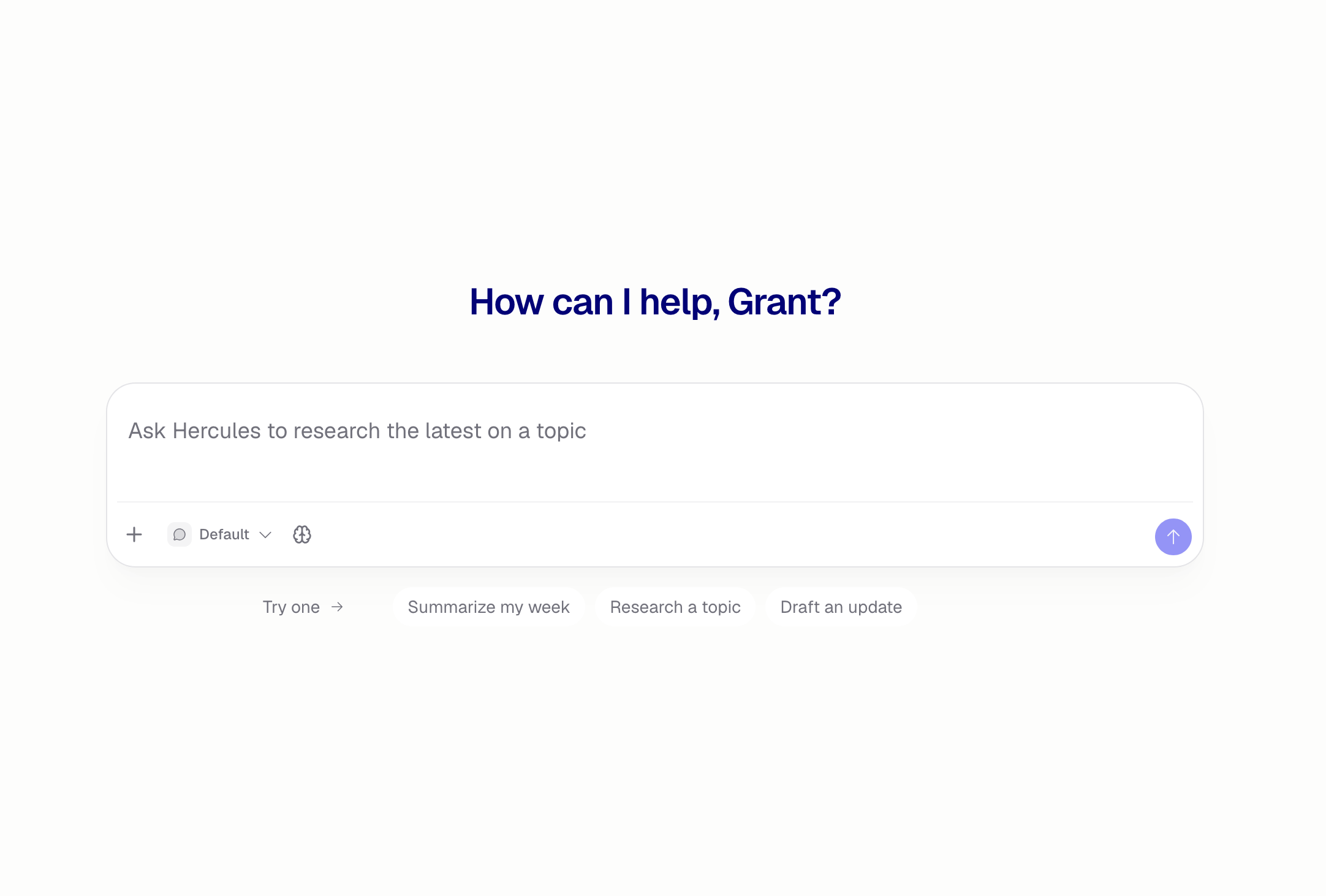
How do I start a chat?
1
Open Chat
Click Chat at the top of the Dashboard sidebar, or go to
hercules.app/dashboard/chat.
2
Type what you need
Send your message, or tap one of the suggestions under the box to start.
3
Keep going
Every reply stays in the conversation, so you can follow up without repeating yourself.
What can Chat do?
- Answer questions, including about things that changed recently. Chat searches the web when accuracy matters, and links its sources
- Read a link you paste, or a page it found while searching
- Find images when you ask for visual references
- Use your connected tools, like Slack, Notion, Linear, or GitHub
- Read what you attach. Drag a file onto the message box, paste it, or click + → Attach files. Chat reads images, PDFs, and text files
How do I chat with one of my Agents?
Click the picker at the bottom left of the message box. It says Default until you change it. Choose one of your Agents, and the suggestions under the box change to that Agent’s example questions. What’s different from the default assistant:- The Agent brings its own integrations, not your personal connectors
- The Agent runs on the model it is set to, so the model selector is hidden
- The conversation is a real run of the published Agent. It shows up in the Agent’s History and counts toward its costs like any other run
- Anyone in your Organization can carry on the conversation, the same as any other run of that Agent
- There is no share link. The run is already visible to your team through the Agent it belongs to
How do I find an old conversation?
Every conversation is kept, listed in the Chat sidebar and grouped by when it was last active. Type in the search box at the top to match conversation titles. To narrow the list further, click the filter button beside the search box:- Agent: everything, only the default assistant, or one of your Agents
- Person: only your conversations (the default), everyone’s, or one teammate’s
How do I share a chat?
Open the conversation and click Share, or use … → Share in the sidebar. Pick who can see it:
Copy the link from the same dialog. Whoever opens it reads the conversation, they cannot add to it. To stop sharing, set the conversation back to Private and the link stops working.
Additional FAQ
What does Chat cost?
What does Chat cost?
Chat uses AI credits, the same credits as the rest of Hercules. See AI
Credits.
How do I rename or delete a chat?
How do I rename or delete a chat?
Hover a conversation in the sidebar and click …. Titles are written for you from the first
message, so rename it to whatever you want. Deleting cannot be undone, and deleting a conversation
with an Agent also removes it from that Agent’s History.
Can I change the model?
Can I change the model?
Yes, for the default assistant. Click the 🧠 selector in the message box and pick a model. See
models for what each one trades off. A conversation with one of your Agents
runs on the model that Agent is set to.
Can my teammates see my chats?
Can my teammates see my chats?
Not unless you share one. Conversations with the default assistant are private to you until you
change that. Conversations with an Agent belong to the Organization, so anyone in it can read them
and reply.
Can I reply in a teammate's chat?
Can I reply in a teammate's chat?
Only if it is a run of one of your Organization’s Agents. A teammate’s conversation with the
default assistant is read-only, even when they share it with you.
Why is an Agent missing from the picker?
Why is an Agent missing from the picker?
Only enabled Agents can hold a conversation. Turn it back on from the Agents list, then it
appears. See Manage Agents.
Can Chat build me an app?
Can Chat build me an app?
No. Chat has no codebase and no development environment. Use Create new app in the Dashboard,
then build it in the App Builder.