
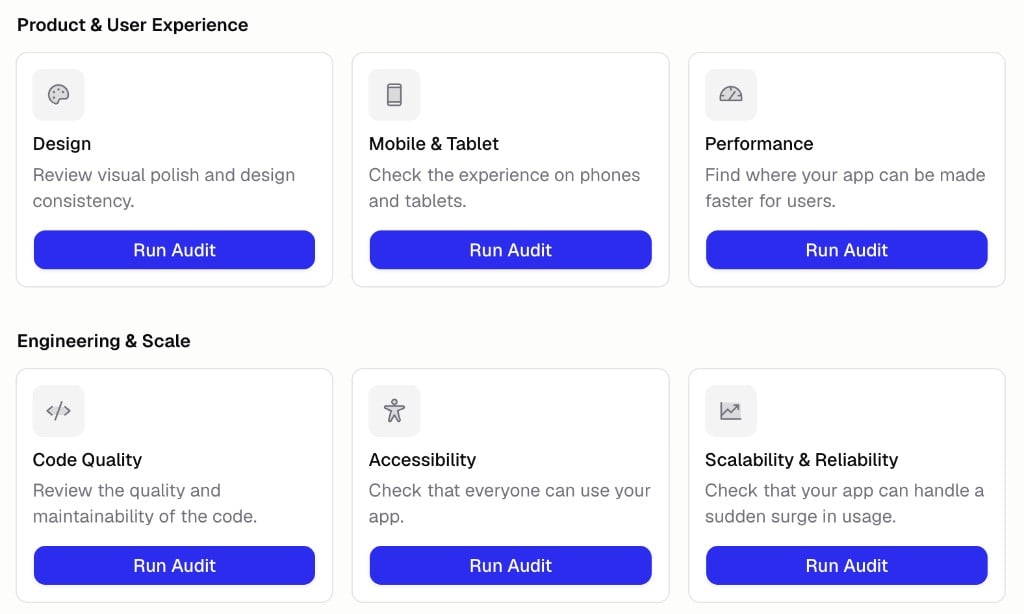
How do I run an audit?
- Open the Audits tab in the sidebar
- Find the audit you want under its category
- Click Run Audit
What can I audit?
Audits cover common checks you should run when building apps/software: Product & User Experience- Product: Check that your app truly solves the user’s problem.
- Design: Review visual polish and design consistency.
- Mobile & Tablet: Check the experience on phones and tablets.
- Performance: Find where your app can be made faster for users.
- Documentation: Improve user-facing docs and help content.
- Code Quality: Review the quality and maintainability of the code.
- Accessibility: Check that everyone can use your app.
- Scalability & Reliability: Check that your app can handle a sudden surge in usage.
- Error Handling: Make sure errors are captured and handled gracefully.
- Database: Verify the database is structured well and working correctly.
- Test Coverage & QA: Find untested critical paths and missing tests.
- Integrations: Verify third-party integrations are implemented correctly.
- Hercules Cloud: Reduce Hercules Cloud costs and improve backend performance.
- Security: Find vulnerabilities and get recommendations to fix them.
- Identity & Access: Verify auth and permissions are implemented correctly.
- Dependency & Supply Chain: Check for outdated, vulnerable, or risky dependencies.
- SEO: Improve discoverability and shareability.
- Landing Page Optimization: Optimize the landing page to drive your main call to action.
- Copy & Content: Make sure the copy and content are clear and compelling.
- Branding: Check that branding is cohesive and consistent.
- Internationalization: Check i18n and localization setup and coverage.
- Billing & Tax: Verify billing and tax are implemented correctly.
- Legal: Review terms, licenses, and required legal pages.
- Privacy: Review how data is collected, stored, and disclosed.
What happens after an audit?
Hercules presents its findings in the chat, ordered by impact. For each issue it explains what’s wrong, why it matters, and what it would do about it. You decide what to fix, then ask Hercules to apply the changes.Additional FAQ
Do audits change my app automatically?
Do audits change my app automatically?
No. An audit only reviews your app and reports findings. Nothing changes until you ask Hercules
to apply a fix.
How often should I run audits?
How often should I run audits?
Run them after major changes and before publishing. Security and performance audits are worth
repeating as your app grows.
Do I need to be technical to read the results?
Do I need to be technical to read the results?
No. Findings are written in plain, everyday language with no code or jargon, so anyone can act
on them.