Send emails to your users directly from inside your Hercules app. Send emails from a free Hercules email or from your own branded email address.
How do I get started?
- Go to the Email tab in the Build section of the left sidebar
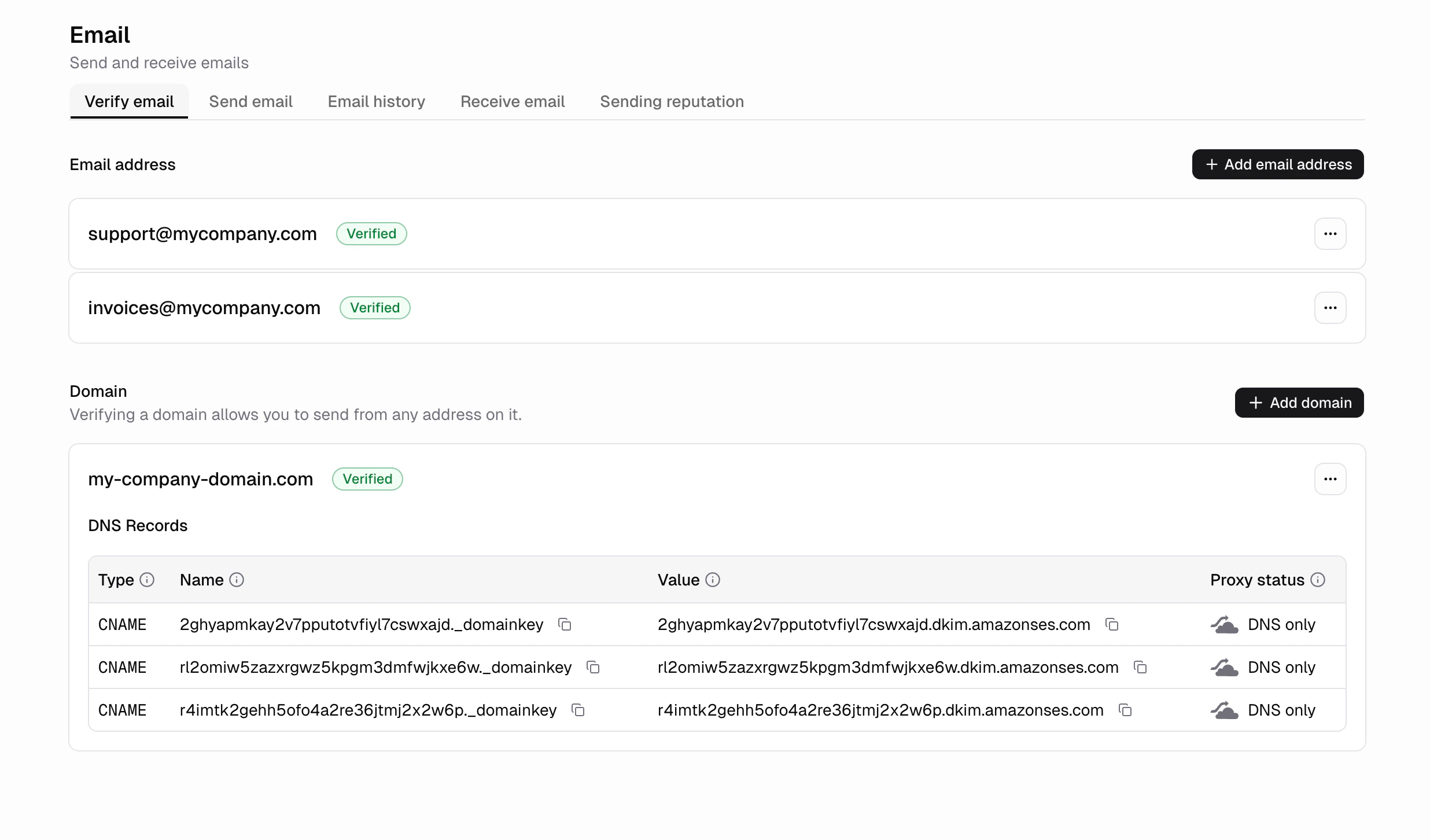
- Verify a single email or an entire domain
- That’s it!
Now just tell Hercules when you want to send an email
What are common use cases for sending emails from within my app?
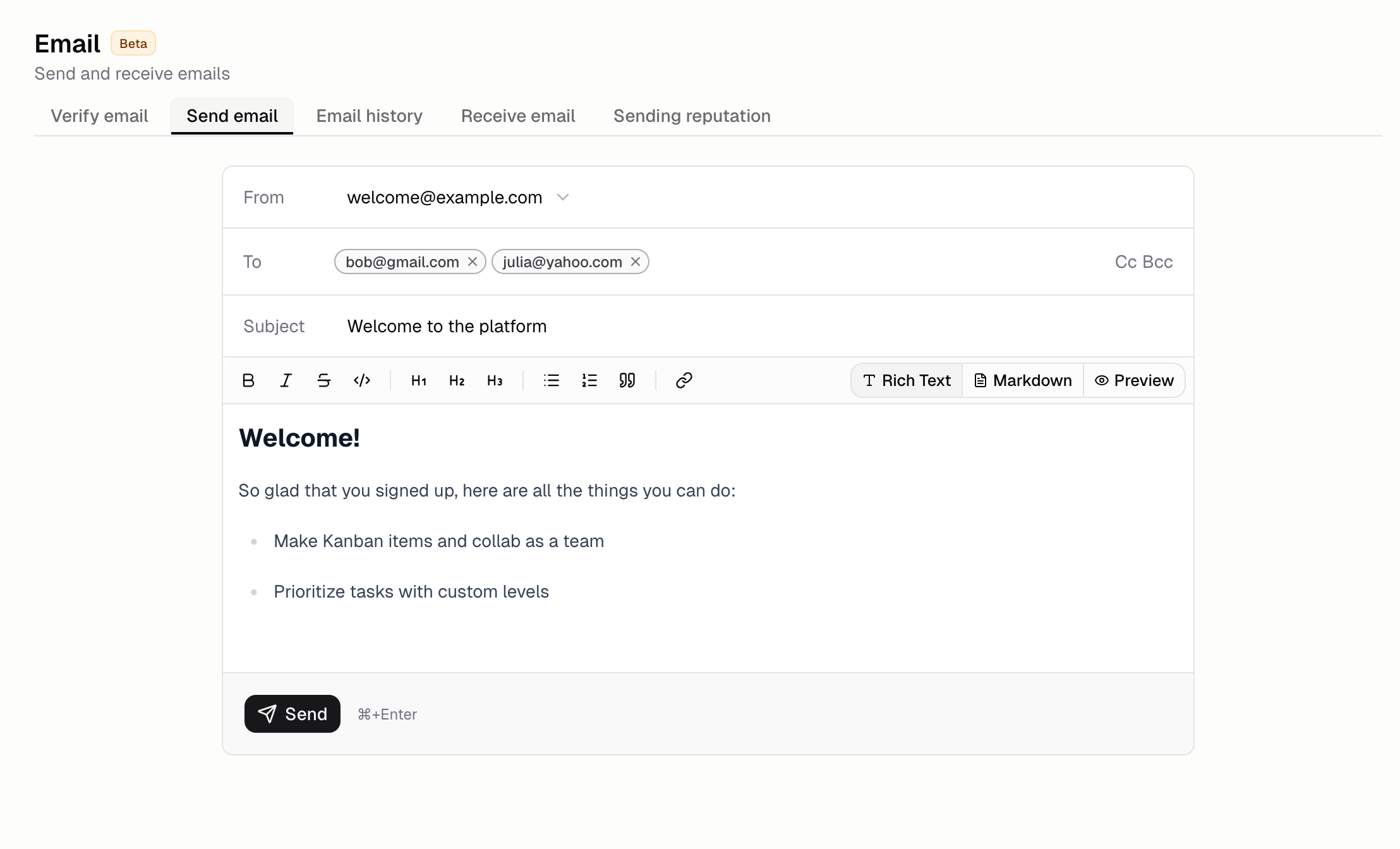
- Welcome emails when a new user signs up
- Form submissions
- Invoices for a purchase
- Order confirmations after a purchase
- Account alerts like login from a new device
How do I send emails to all my users?
Go to the horizontal Send email tab
Suppression list
Some addresses should never be emailed again: a mailbox that no longer exists, or a recipient who
reported your email as spam. Hercules keeps a suppression list of those addresses and refuses to
send to them, which is what protects your ability to reach everyone else.
An address gets on the list three ways:
- Bounced — the recipient’s mail server permanently rejected the message.
- Marked as spam — the recipient reported your email as spam.
- Added by you — you put it there from the dashboard or the API.
The first two happen automatically. The list belongs to your organization and covers every app and
sender address you own, so an address suppressed in one app is suppressed in all of them. It is
yours alone — no other Hercules customer’s bounces affect it.
To manage it, go to the Email tab and open Suppressions. From there you can add an address,
import a CSV (or a plain list, one address per line), export the whole list, and allow an address
again.
Removing an address does not guarantee delivery. If it bounces or is reported as spam again, it
goes straight back on the list.
Sending suspension
Every Hercules app sends through shared email infrastructure, so one sender with a bad list can hurt
delivery for everyone. Hercules suspends email sending for an organization automatically in two
steps:
Bounce rates count the recipients of the emails your apps send, once you have sent to at least 50 recipients
in that time. A high bounce rate almost always means a purchased, scraped, or outdated list. Spam
reports suspend sending only once there are at least 3 of them in that time (1 on the free plan), so
on a paid plan a single report on a small list sends a warning, not a suspension. A full suspension
for spam reports needs at least 3 of them on every plan.
During an app email suspension, login codes, email verification, and password reset emails keep sending,
so your users can still sign in. Your organization’s owners get an email at each step, and a notice
appears on the Email screen.
A suspension does not lift on its own. To restore sending, remove the addresses that caused it,
then use Contact support on the Email screen. The email it opens already includes your app
and the reason for the suspension.
FAQ
How do I verify my email address?
- Go to the Email tab
- Input the email address you want to send from.
- Click the verification link we send to that email
Once verified, Hercules will be able to send emails from that email addressHow do I verify my domain?
- Go to the Email tab
- Input the domain you want to send from.
- Follow the instructions to add the DNS records to your domain’s nameservers
Once your email sending domain is verified, Hercules will be able to send emails from any email address with that domain.How do I verify a domain I purchased from Hercules?
- Go to the Email tab
- Input the Hercules domain you purchased.
- Follow the instructions to add the DNS records to your domain purchased on Hercules.
- Go to Domains → Purchased Domains → your domain → DNS Records → + Add record and add your DNS records.
Once verified, Hercules will be able to send emails from any email address with that domain.Can I customize how my emails look?
Yes. Ask Hercules to update the design of your emails. You can change colors, layout, logo, and
content by describing what you want.
What happens if an email fails to deliver?
Failed emails show up as bounced in the Email tab with a reason. Hercules stops sending to
addresses that permanently bounce to protect your sender reputation, by adding them to your
suppression list. You can remove an address from that list yourself. Can I see cc, bcc, or an email's ID in the history?
Yes. Open the Email tab, click the sliders icon above the history table, and switch on Cc,
Bcc, Reply-to, or Email ID: the id is the handle the email API reads a single message
by, and the one thing the detail panel does not show. Your choice is remembered in this browser,
and Reset to default in the same menu puts it back.
Why did my send fail with 'email_recipient_suppressed'?
The recipient is on your suppression list, so the send was rejected before it
left Hercules. That is deliberate — it costs you nothing and cannot hurt your sender reputation.Go to the Email tab, open Suppressions, find the address, and choose Allow email again
if you are confident the mailbox is now working. Bear in mind that whatever put it on the list will
put it back if it happens again. Can I stop emailing a specific address?
Yes. Go to the Email tab, open Suppressions, and choose Add address, or import a whole
list from a CSV. Hercules will refuse to send to it from any of your apps until you remove it.
What is the difference between verifying an email and a domain?
Verifying an email address lets you send from that specific email address. Verifying a domain lets
you send from any email address on that domain. Email verification is faster (click a link), while
domain verification requires adding CNAME records to your DNS.
Is there a limit on how many emails I can send?
Yes. Your plan sets a monthly limit, and a daily cap sits underneath it.Your monthly limit, counted across the trailing 30 days:
- Free: 100 emails / month
- Pro: 10,000 emails / month
- Business: 100,000 emails / month
Your daily cap is a tenth of that, counted across the trailing 24 hours:
- Free: 10 recipients / day
- Pro: 1,000 recipients / day
- Business: 10,000 recipients / day
The daily cap counts recipients, not sends. Every address in To, Cc, and Bcc counts as
one, so a single send to 30 people uses 30 of the day’s allowance. Only emails you send
through the API draw from it. Sign-in emails do not.Sending at an even pace uses about a thirtieth of your monthly limit each day, so the cap
leaves roughly three times that for a busy day, while stopping a runaway loop from
spending a whole month’s allowance at once.Broadcasts are the usual way to meet it. Sending to more recipients than the day’s
remaining allowance delivers the first few and rejects the rest with a 429, so a list
larger than your daily cap needs to be split across days. Capacity returns gradually
rather than all at once, as earlier sends age out of the trailing 24-hour window.On the legacy Lite plan, both limits match Pro.If you need to send more emails, please contact support. Why do repeated emails to the same address fail with a 429?
Separately from your monthly and daily limits, your organization can send at most 10 emails per hour to any one
address in the To field. This guards against a single inbox being flooded. Only your own sends count
towards it, so nobody else’s sending can use up your allowance, and it is the same on every plan, so
upgrading does not raise it.Sign-in emails share the allowance only if you have set your app to send them from your own verified
address. When you have, sending 10 test emails to your own address also blocks your own login codes
for the rest of the hour. If your app still uses the default Hercules sign-in email, those codes go
out through a separate sender and are not affected.It most often shows up while testing, when every test email goes to the same address. Every other
address has its own allowance, so vary the recipient between test runs (many mail providers let you
add a suffix, such as you+test1@example.com) or wait until the hour has passed.
What characters can email tags contain?
Do I need a separate email service like SendGrid or Mailgun?
No. Hercules Emails handles everything. No external provider or API key is required.
I am receiving a 400 'No verified sender' error
This means no sender has been set up for your organization yet. It shows when hercules.email.send() runs before you verify a sender.
- Go to the Email tab
- Verify an email address or a domain
- Send from that verified address
Once a sender is verified, the error clears. My email is verified but I am still receiving a 403 error
Your domain or email may be verified however, you may still be seeing an error when trying to send an email saying “Sender ‘hello@my-domain.com’ is not a verified identity for this website” when calling
hercules.email.send().This usually automatically resolves itself within 5 minutes. This is a known issue we are actively
investigating. If it persists after
5 minutes, please report an issue. What sending domains should I allowlist for Hercules emails?
For platform auth and OTP emails, allowlist hercules.app and notifications.hercules.app. For
emails sent via the Email SDK (hercules.email.send()), the sending domain is your own verified
domain (configured in your app’s Email tab). If your corporate mail system flags emails as a
new sender, have IT allowlist the relevant domain.
When will inbound email (receiving) be available in Hercules?
Inbound email (receiving) is not yet available. It is currently under construction, with no
confirmed timeline. Hercules will notify users when it launches.In the meantime, you can receive emails at your domain by setting up a third-party email provider
(Gmail, Outlook, and similar) via MX records. For a domain purchased through Hercules, add them in
Domains → Purchased Domains → your domain → DNS Records → + Add record, then choose
type MX. For a domain you connected yourself, add them wherever your domain’s DNS is hosted (the
provider your nameservers point to), which is not always your registrar.
My emails are going to spam. How do I fix?
- Check your Hercules email configuration setup. Make sure your email is properly set up and says “verified”.
- Make sure your email domain is correctly configured
Use the following 3rd party tools to confirm everything is configured correctly:
- Check public spam reports.
Use the following 3rd party tools to see if your domain is flagged:
- Test deliverability.
Send a test email to a public inbox and check where it lands:
Finally, you can also investigate 3rd party “mail warming” tools