
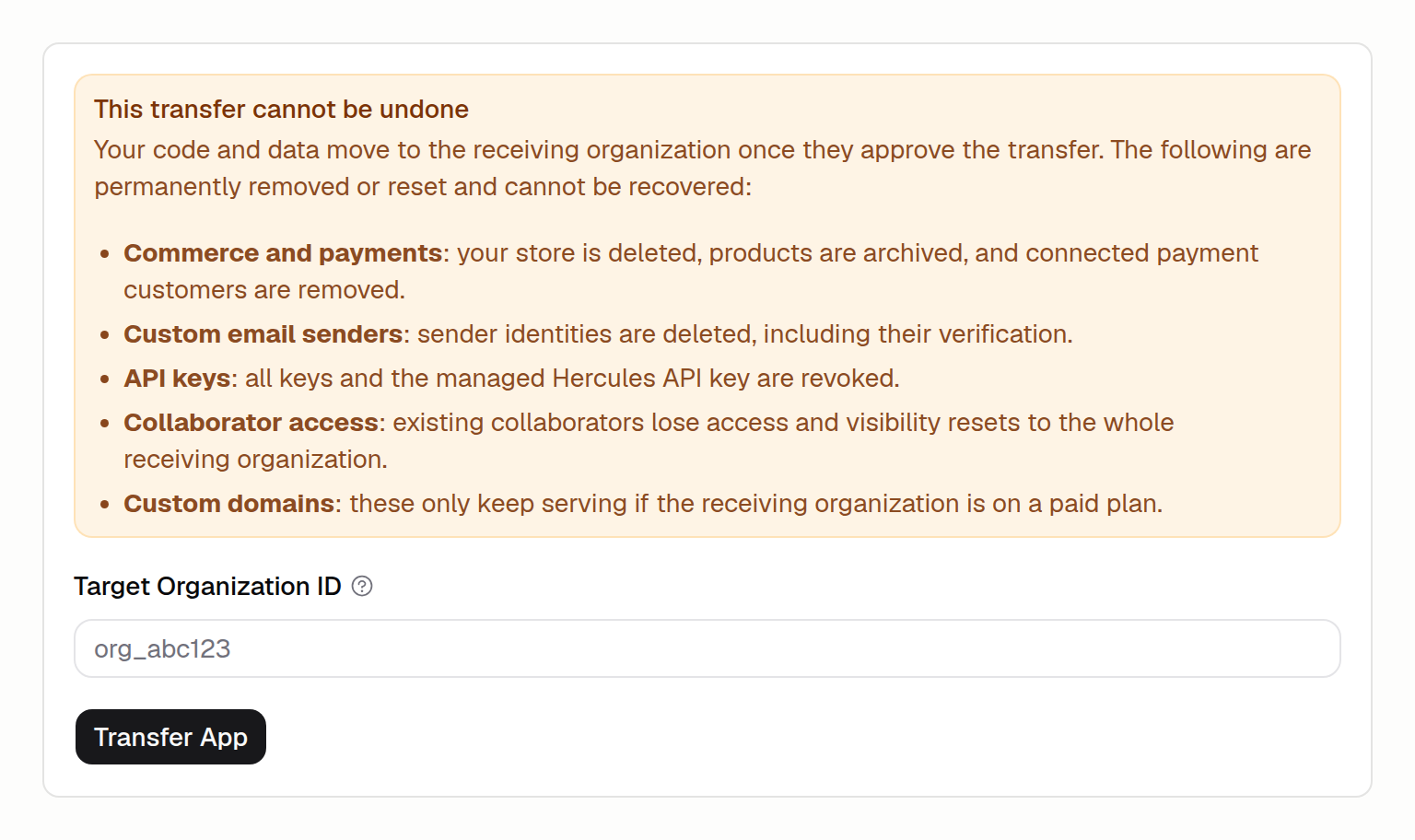
Who can transfer an app?
Transferring is available on any paid plan. You also need to be an owner or admin of the organization that currently owns the app. Each app can be transferred once every 30 days. If an app was transferred within the last 30 days, you need to wait until the window passes before starting another transfer. If your app uses a domain you purchased through Hercules, remove that domain first. An app cannot be transferred while a purchased domain is linked to it.How do I transfer an app?
- Open the app, then go to Settings, then the Transfer tab.
- Ask the receiving organization for its organization ID. They can find it in Settings, then Organization, then General.
- Enter the organization ID in Target Organization ID and click Transfer App.
- The transfer stays pending until the receiving organization accepts it. You can cancel a pending transfer at any time from the same screen.
What is kept and what is removed?
Your code and data move with the app. Some things are tied to your current organization and are permanently removed or reset when the transfer completes. This cannot be undone, so review it before you transfer.How does the receiving organization accept?
When an app is transferred to an organization, an owner or admin of that organization sees an incoming transfer banner on their dashboard. They can Accept to take ownership or Reject to decline. A transfer that is not accepted before it expires is cancelled automatically.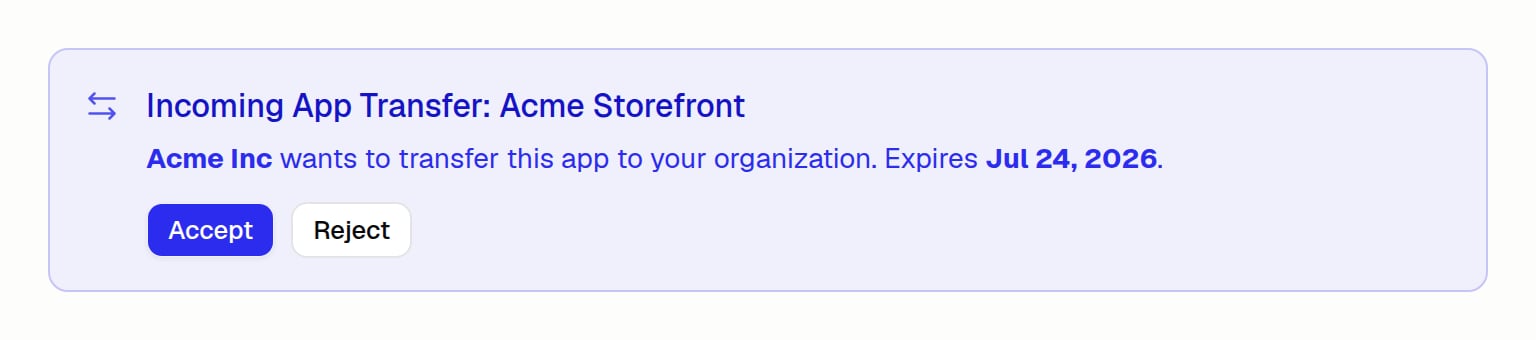
Tips before you transfer
- If the app uses a custom domain, make sure the receiving organization is on a paid plan so the domain keeps serving after the transfer.
- If the app uses Hercules Commerce, custom email senders, or API keys, set those up again in the receiving organization after the transfer.
- Confirm the target organization ID with the receiving organization first. The transfer goes to whichever organization owns that ID.
Additional FAQ
Can I transfer apps from Lovable, Replit, Base44, or Bolt.new to Hercules?
Can I transfer apps from Lovable, Replit, Base44, or Bolt.new to Hercules?
Yes. Our support team is happy to help migrate certain apps. Contact support
with a link to your app.