
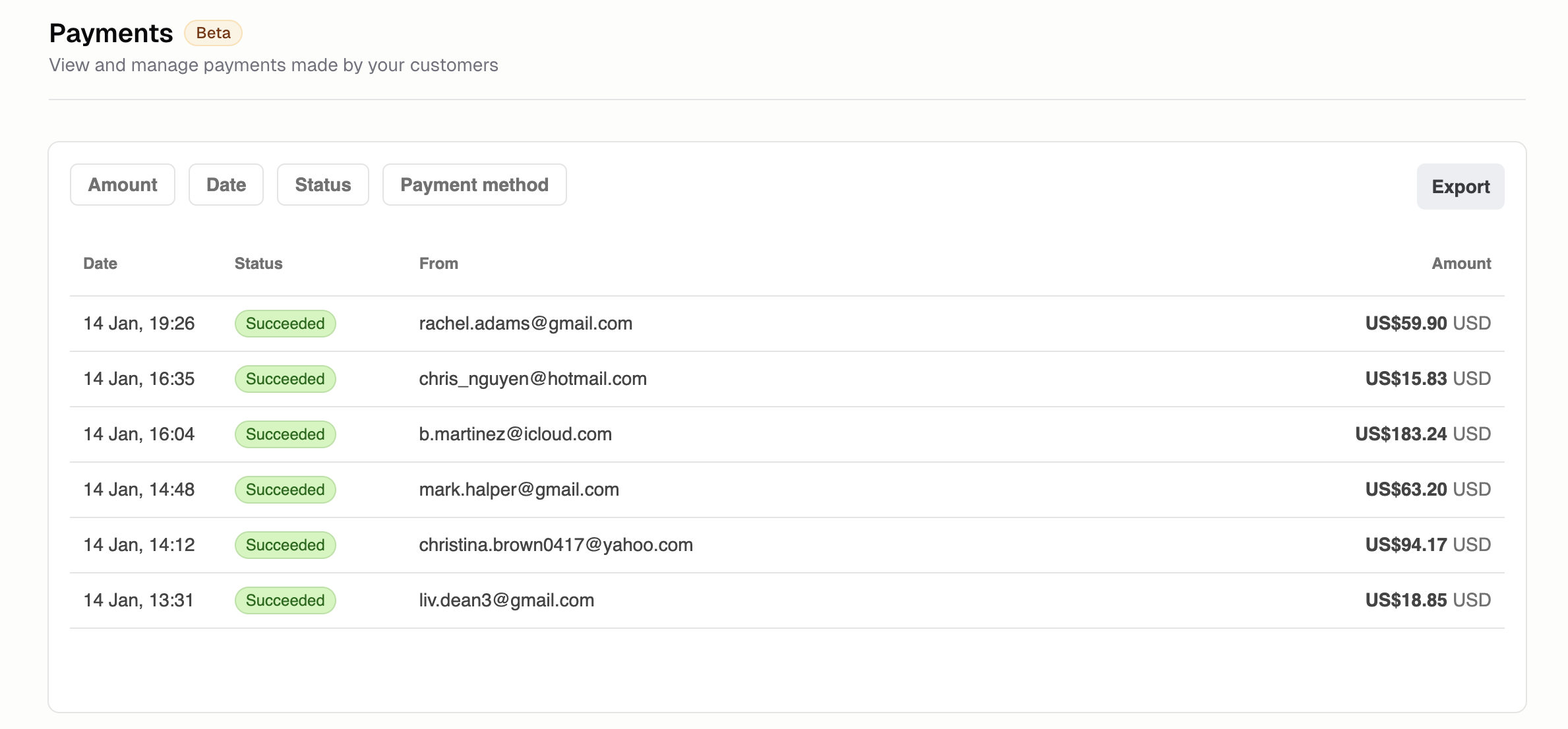
How do I view transactions?
Go to Commerce → Transactions to see:- Payment amount
- Customer name
- Product or plan purchased
- Payment status
- Date and time
What do the transaction statuses mean?
- Succeeded: Payment completed successfully
- Pending: Awaiting confirmation
- Failed: Payment was declined
- Refunded: Money returned to customer
- Disputed: Customer filed a chargeback
How do I issue a refund?
- Click the transaction
- Click Refund
- Enter amount (full or partial)
- Add reason (optional)
- Confirm
How do I handle disputes?
When a customer disputes a charge:- You’re notified via email and in-app
- Review the dispute details
- Submit evidence (receipts, delivery confirmation, communication)
- The customer’s bank will make a decision
Additional FAQ
Can I export transaction history?
Can I export transaction history?
Yes. Set your filters, then click Export. Use for accounting, tax reporting, or reconciliation.
Why was a payment declined?
Why was a payment declined?
Common reasons: insufficient funds, expired card, incorrect details, potential fraud, or bank
restrictions. Ask the customer to try a different payment method.
How do partial refunds work?
How do partial refunds work?
Enter any amount up to the original payment. The remaining amount stays with you. Useful for
returns of individual items from multi-item orders.
What are Hercules's fees?
What are Hercules's fees?
Stripe’s standard processing fees plus a 4.5% platform fee. This is our launch pricing. We plan to
offer competitive volume-based rates as you scale.