
Where do I find the audit log?
Click Users & Access → Audit Log in your app sidebar. The audit log is available on apps using Hercules Auth 2.0. If your app was created before Hercules Auth 2.0, upgrade it first.What gets recorded?
Sign-in, sign-up, sign-out, and session revocation, plus the account-security events:- Passwords: reset requested, reset completed, and changed
- Email: verification sent, verified, and changed
- One-time codes: sent, verified, and failed
- Passkeys: added and removed
- Accounts: unlinked, banned, and unbanned
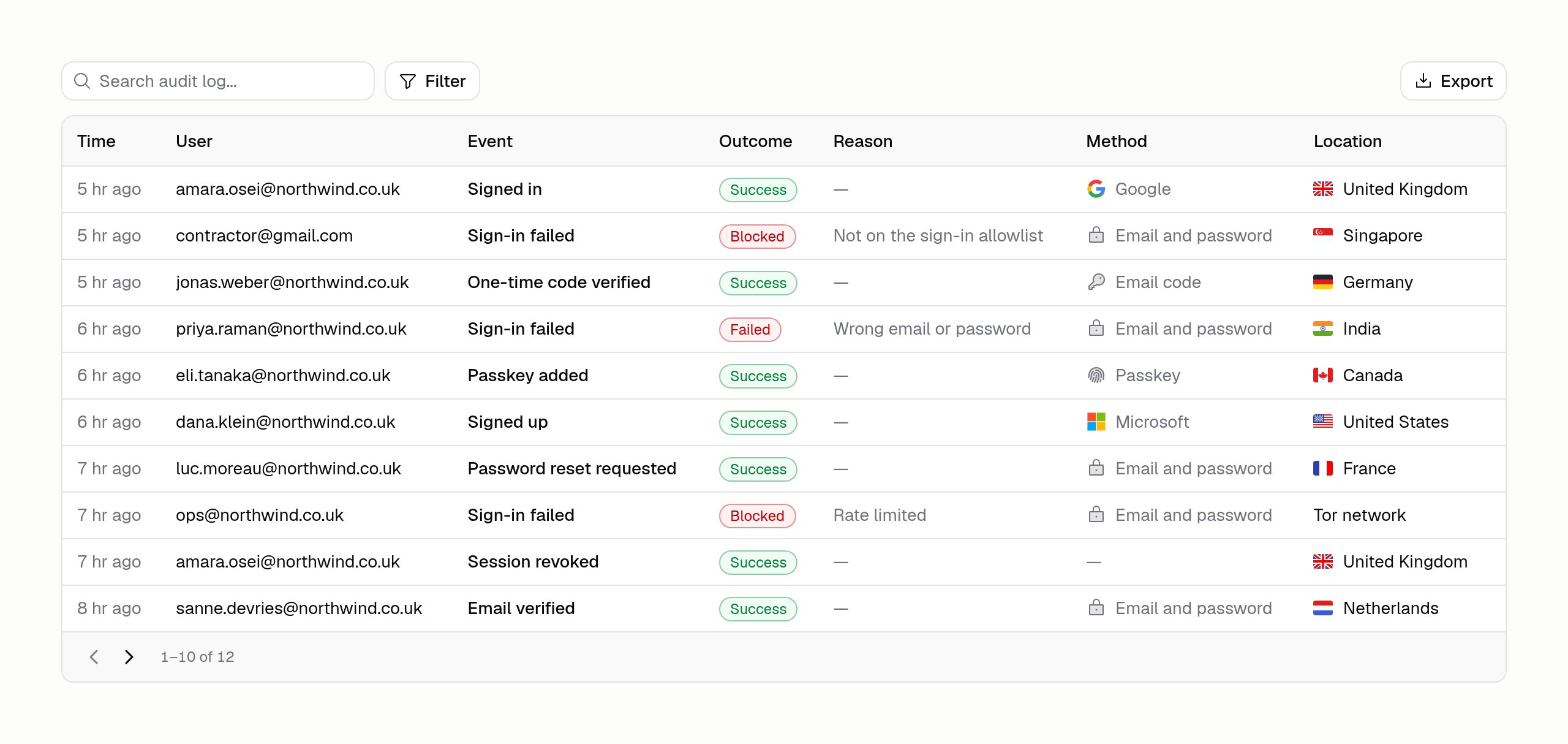
What does each row tell me?
Can I see more detail?
Yes. Click the sliders icon above the table and switch on whatever you need. Alongside the seven columns above, each event carries:
Your choice is remembered in this browser, so the log opens the same way next time. Reset to default in the same menu puts it back.
These come from what Cloudflare saw at the edge, so they are blank for anything not recorded through it — and, like Location, they are withheld below the Business plan.
How do I find one person’s history?
Open Users & Access → Users, find the person, and choose See audit log on their row. That opens the log filtered to them, and the address bar carries the filter, so you can paste the link into a ticket. You can also search the log by email address or IP address, and filter by event, outcome, method, and country.Can I export it?
Yes. Click Export to download the events matching your current filters as a CSV file. It covers every match up to the 5,000 most recent, not only the rows you have scrolled to. If your filters match more than that, Hercules tells you the export was trimmed, so narrow the range and export again.Which plans include it?
Free and Pro apps see the 10 most recent events, which is enough to confirm that recording is working. Location is hidden on those plans. Business and Enterprise plans get the full history and every column, along with search, filtering, and export.Hercules keeps recording events on every plan. Upgrading later opens the history that was already
captured, rather than starting from the day you upgrade.